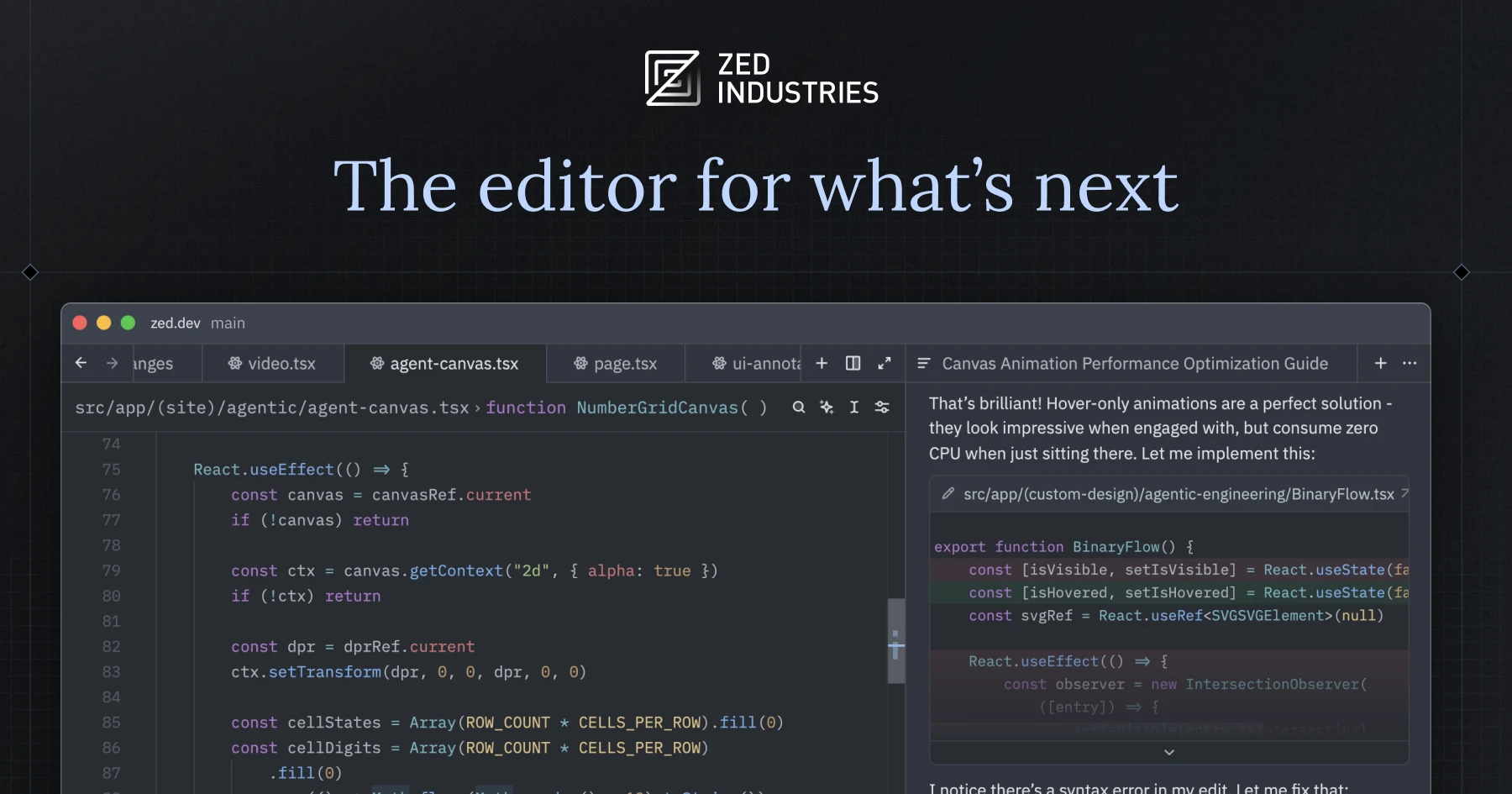
A recent XDA piece called the new wave of native editors “VS Code on steroids,” and Zed gets cited every time the conversation turns to speed. The GPU-accelerated, Rust-built editor from the team behind Atom and Tree-sitter boots in under a second and edits without a stutter on million-line repos. That’s the headline. The fine print is more complicated: Linux packaging trails, the extension ecosystem is still young, and the AI panel costs extra once you outgrow the free tier.
If Zed almost-but-not-quite fits, the alternatives in 2026 are stronger than they were a year ago. We tested seven Zed alternatives across Windows, macOS, and Linux, covering the editors that match its speed, the ones that match its AI workflow, and the keyboard-driven editors that solve the same problem from the opposite direction.
Why people are looking past Zed in 2026
Zed is well-built. The shortlist of reasons to look elsewhere reads like a list of trade-offs, not flaws:
- The extension ecosystem is small. Five years of VS Code marketplace momentum is hard to catch up on. Niche language servers, debuggers, and database tools that are one click away in VS Code often need manual setup in Zed.
- Linux packaging lags. Windows arrived later, and Linux distributions outside the Flatpak-and-AppImage path still need DIY builds for some setups. Enterprise teams on locked-down Linux laptops report friction.
- The AI panel is a paid tier for heavy users. The free tier covers light use, but Pro at $20 per month is a real line item, and bring-your-own-key for Claude or GPT is the cheaper path for many developers.
- Vim and Helix users want less, not more. Zed has a strong Vim mode, but modal-first developers often prefer the lower latency and tighter scope of a terminal-resident editor.
- Collaboration is fading as a differentiator. Zed’s live multibuffer collaboration was the original pitch. With VS Code Live Share and JetBrains Code With Me back to working reliably, it’s less of a moat.
None of these kills Zed. Each one is the reason somebody is reading this article instead of opening their editor.
Quick comparison
| Editor | Best for | Free plan | Paid starting | Standout feature |
|---|---|---|---|---|
| Cursor | The most polished AI-first editor | Free Hobby tier | $20/mo Pro | Composer agent across multi-file edits |
| Windsurf | Cursor workflow at a lower price | Generous free tier | $15/mo Pro | Cascade agent with steerable scope |
| Visual Studio Code | Largest extension catalogue, every language | Free | Copilot $10/mo | The marketplace nobody else can match |
| Helix | Speed of Zed, modal editing of Vim | Free | None | Built-in LSP and tree-sitter, no plugins required |
| Neovim | The most extensible modal editor | Free | None | Lua plugin ecosystem, decades of muscle memory |
| Sublime Text | The pre-Zed speed champion that still ships | 30-day evaluation | $99 one-time | License is a one-time purchase across machines |
| JetBrains Fleet | Distributed development with smart backend | Free for individuals | Subscription tiers | Run the workspace on a remote host, edit locally |
The 7 best Zed alternatives for desktop
Cursor — best polished AI-first editor
Cursor is the editor most teams reach for when “fast and AI-aware” is the requirement and Zed’s free AI tier feels limiting. The VS Code fork preserves the extension story, the Composer agent edits across files, and the model picker exposes Claude, GPT, and several open-weights options. Where Zed treats AI as a panel inside a general editor, Cursor treats the editor as a surface for AI.
Where it falls short: The $20-per-month Pro tier and the per-request usage caps surprise heavy users. Some teams find the agent rewrites more than the prompt intent and switch back to inline completions.
Pricing:
- Free: Hobby tier with 50 slow GPT-5 requests and 200 completion requests per month
- Paid: Pro at $20 per month, Business at $40 per user
- vs Zed: pricier, but ships a stronger agent and broader extension support
Download: Cursor
Bottom line: The right pick if you want AI baked deeper into the workflow than Zed currently exposes.
Windsurf — best Cursor-style workflow at a lower price
Windsurf is Codeium’s AI-native VS Code fork, and it sits between Cursor and Zed on the price-versus-AI-depth axis. The Cascade agent is steerable in a way Cursor’s Agent isn’t: you can scope an edit to a folder, a specific file set, or a single function. Model coverage is broad, the free tier is generous enough for one developer to learn the workflow, and the Pro tier comes in $5 cheaper than Cursor.
Where it falls short: Linux packaging still trails Windows and Mac by a release. Large multi-file diffs occasionally need a manual revert when Cascade misreads scope.
Pricing:
- Free: unlimited basic completions, limited Cascade actions
- Paid: Pro at $15 per month, Teams at $30 per user
- vs Zed: free tier covers more AI usage; paid tier matches Zed Pro
Download: Windsurf
Bottom line: Try this before Cursor if your priority is Cursor-grade AI for less monthly outlay than Zed Pro.
Visual Studio Code — best familiar baseline
Visual Studio Code stays the default for a reason: nothing matches the extension catalogue. Every language has a polished server, every debugger ships with a one-click extension, and the Remote-SSH and dev container integrations are still the gold standard. Add GitHub Copilot for the AI parity Zed offers natively, and you have a familiar editor with every plugin you’ll ever need.
Where it falls short: Slower than Zed on large repos. The AI features feel bolted on rather than integrated. Telemetry defaults are looser than some teams prefer.
Pricing:
- Free: the editor and Copilot Free with monthly limits
- Paid: Copilot Pro at $10 per month, Business at $19 per user
- vs Zed: free editor with cheaper AI, but worse responsiveness on big projects
Download: VS Code
Bottom line: The right pick when the extension marketplace is non-negotiable and AI is a feature rather than the whole workflow.
Helix — best modal editor with Zed-style speed
Helix takes the same “fast and modern, built in Rust” idea Zed pursued and applies it to a terminal-based modal editor. There’s no plugin system to maintain because the editor ships with built-in LSP, tree-sitter highlighting, and a multi-selection model that owes more to Kakoune than to Vim. Boot time is instant, edits are crisp on long files, and the entire thing runs over SSH without any client setup.
Where it falls short: No plugins means no escape hatch for edge cases — if Helix doesn’t ship a feature, you wait. The keymap is selection-then-action, not action-then-selection, which trips muscle memory for Vim users.
Pricing:
- Free, open source under MPL-2.0
Download: Helix
Bottom line: The right pick if Zed’s speed is the appeal but the GUI itself isn’t, and you live in the terminal.
Neovim — best extensible modal editor
Neovim is the editor that wins on extensibility. The Lua plugin ecosystem covers every editor task somebody has ever wanted to script, the LSP integration since 0.10 is mature, and projects like LazyVim and AstroNvim ship pre-built distributions that get a new user productive in an evening. Run it inside a terminal alongside a tmux session, and the entire dev environment fits on a single SSH connection.
Where it falls short: Configuration is its own time sink. New users either pick a distribution and accept its opinions, or spend weeks building a setup. AI integration exists (Avante, codecompanion, ChatGPT.nvim) but lags the GUI editors by a release cycle.
Pricing:
- Free, open source under Vim License
Download: Neovim
Bottom line: The right pick if you want the speed of Zed but the configurability of “whatever I can write in Lua tonight.”
Sublime Text — best one-time-purchase speed champion
Sublime Text is the editor that taught the industry what fast feels like, and it still loads instantly, edits a million-line file without stutter, and ships a license model that nobody else copies — pay once, use everywhere, free upgrades for three years. The package ecosystem is mature, the Python API is stable, and Sublime Merge gives you a Git GUI from the same team.
Where it falls short: AI integration is plugin-based and not first-class. No live collaboration. Updates have slowed, and several developers say the project feels in maintenance mode compared to Zed.
Pricing:
- Free: indefinite evaluation with periodic nag prompts
- Paid: $99 personal license, $65 per user business license
- vs Zed: pricier up-front, but a one-time purchase versus a subscription
Download: Sublime Text
Bottom line: The right pick if you want to buy an editor outright rather than rent it, and you prize speed above AI.
JetBrains Fleet — best distributed-development editor
JetBrains Fleet is the company’s lightweight editor with a smart-mode toggle: start it as a fast notepad, flip it to smart mode, and the IntelliJ backend boots in the cloud or on a remote host. Edit locally, run language services on a beefy workspace, collaborate live with Code With Me. For developers whose laptops can’t run a full IDE, Fleet trades local horsepower for backend horsepower.
Where it falls short: Smart mode adds startup latency the moment you enable it. The plugin ecosystem is narrower than IntelliJ proper, and Fleet’s free-for-individuals tier limits some collaboration features.
Pricing:
- Free: full editor and smart mode for individuals
- Paid: Subscription tiers for teams ($8.90 per user per month for the dotPaid tier)
- vs Zed: comparable polish, completely different deployment story
Download: JetBrains Fleet
Bottom line: The right pick when the workspace lives on a remote host and the editor is the thin client.
How to pick the right Zed alternative
The answer comes down to where Zed almost worked for you:
- Pick Cursor if Zed’s AI tier was the friction, and you want the most polished agent-driven editor.
- Pick Windsurf if Cursor sounds right but $20 a month is too much.
- Pick VS Code if the missing extension was the issue and you’re willing to trade speed for marketplace coverage.
- Pick Helix if you wanted Zed for the speed and the keyboard, not the GUI.
- Pick Neovim if you’ve already written a custom config in your head and just need somewhere to put it.
- Pick Sublime Text if subscriptions are a non-starter and you want to own your editor.
- Pick Fleet if you ship code from a laptop that can’t compile it locally.
- Stay on Zed if the speed-plus-AI combination is working and the extension gaps haven’t cost you a project.
FAQ
Is Zed faster than VS Code?
Yes, in nearly every measurable case. Zed boots in under a second on a modern laptop, where VS Code takes three to five seconds. The gap widens on million-line repos, where Zed handles search and multi-cursor edits without the freezes VS Code still shows.
Is Zed free?
The editor itself is free and open source under the GPL. The AI features have a free tier and a paid Pro tier at $20 per month. You can also bring your own Anthropic or OpenAI API key on the free tier to bypass the paid limits.
What is the best free Zed alternative?
Visual Studio Code for the broadest baseline, Helix or Neovim for the modal-editor approach, and Windsurf for the most generous AI-coding free tier.
Can I run Zed on Linux?
Yes, Zed runs on most Linux distributions through prebuilt binaries and packages. Some niche distros still require building from source, which is the friction point a lot of Linux users cite for trying Helix or Neovim instead.
Does Cursor or Windsurf import my Zed settings?
Neither imports Zed-specific settings directly. Both editors are VS Code forks, so the migration story is “set your config from scratch and import VS Code extension settings if you have them.” Keybindings and themes are the main things to replicate manually.
What do power users prefer over Zed?
The split runs along two axes: developers who want maximum extensibility tend toward Neovim with a curated distribution; developers who want maximum AI integration tend toward Cursor or Windsurf. Zed sits in the middle, which is why people consider these alternatives in the first place.