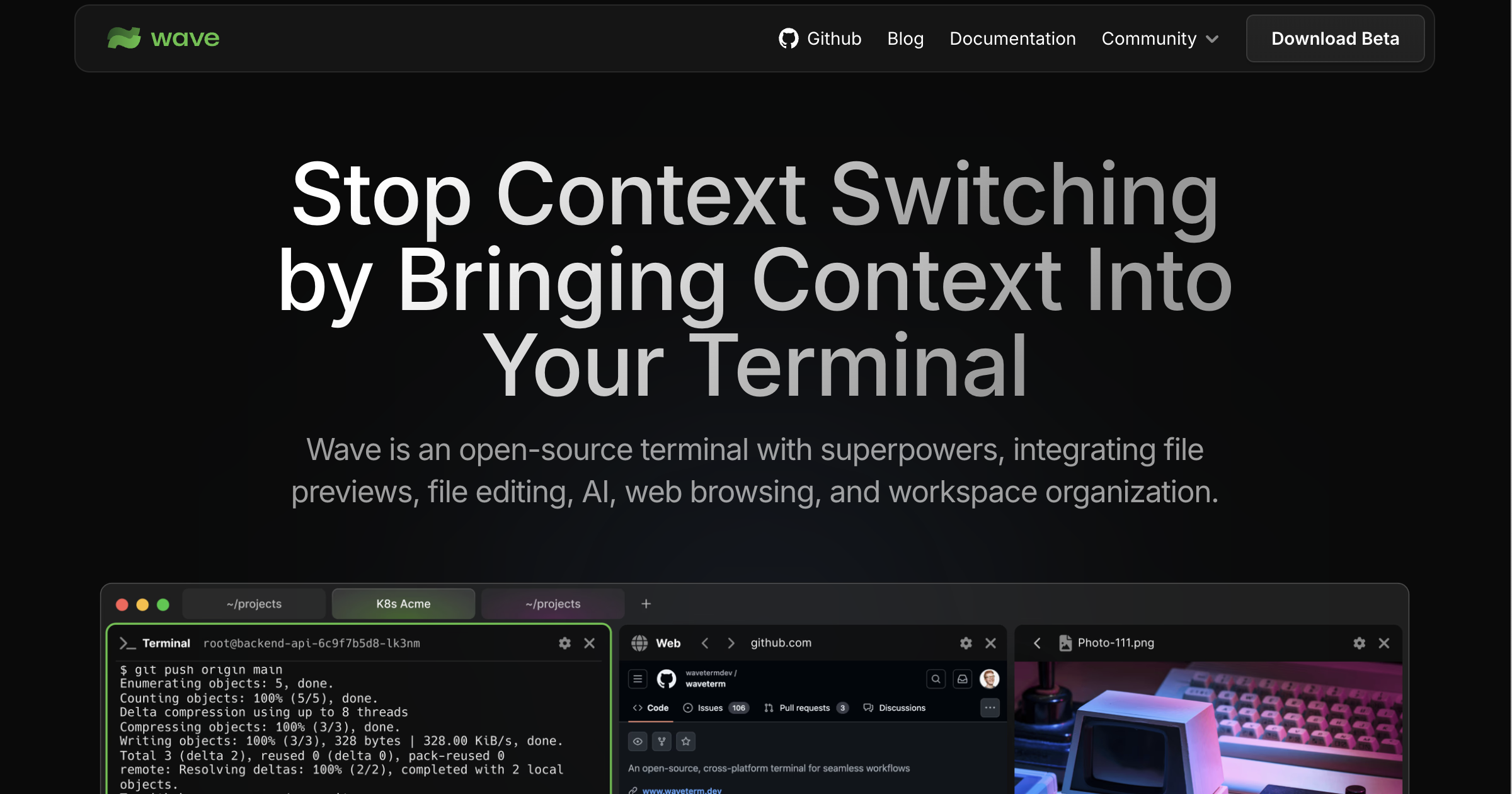
Wave landed as the open-source answer to Warp’s pitch: a terminal that treats AI as a first-class citizen, pulls graphical previews into the buffer, and survives flaky SSH sessions. It works, and the bring-your-own-key setup keeps it cheap. The catch is that the moment we needed a no-ads, no-cloud terminal that just opens, runs commands, and gets out of the way, Wave’s extra surface area started to feel like the opposite of what we wanted.
We tested seven Wave Terminal alternatives on macOS, Linux, and Windows. Each one fits a different shape of work: AI-forward replacements, minimal GPU-accelerated shells, mac-native power tools, and the cross-platform Lua-scriptable option that does almost everything if you have an afternoon to configure it.
Quick comparison
| App | Best for | Free plan | Starting price/mo | Standout feature |
|---|---|---|---|---|
| Warp | AI commands and team blocks | Yes, generous | $15 (Pro, optional) | Command blocks with shareable AI history |
| Ghostty | Mac users who want zero config | Yes, fully | Free | Native macOS feel, fastest on Apple Silicon |
| iTerm2 | Mac power users who want every feature | Yes, fully | Free | Hotkey window, deep search, split panes |
| WezTerm | Cross-platform Lua scripting | Yes, fully | Free | Built-in multiplexing without tmux |
| Kitty | Image previews and remote control | Yes, fully | Free | Kittens scripting for ssh and image flows |
| Alacritty | Maximum throughput inside tmux | Yes, fully | Free | Smallest memory footprint, GPU rendered |
| Tabby | Windows users who liked Hyper | Yes, fully | Free | SSH and serial profiles in one UI |
Why people leave Wave Terminal
A few patterns kept coming up in the threads we read while picking competitors.
The UI does too much
Wave puts file previews, web views, and the AI sidebar in the same window as the prompt. It’s a real workflow once you commit to it, but the people who already lived in tmux + a plain terminal said the integrated panes felt like a step backward, not forward.
AI features only shine with your own key
The free tier handles the basics, but everyone we found running Wave seriously had a paid OpenAI, Anthropic, or Gemini key wired in. If you don’t, the differentiator collapses to “fancy terminal.”
It still feels Electron-y
Wave’s renderer is fast enough for normal work, but next to Ghostty or Alacritty on the same machine the difference is visible. Input latency on a busy build is the most common complaint.
Config sprawl across machines
Wave stores layouts and AI history in its own data directory. Dotfiles repos that already manage tmux, zsh, and starship don’t have a clean hook for Wave state, which makes new-machine setups slower than the alternatives.
The alternatives
Warp — Best for AI commands and shareable history
Warp is the closest one-to-one swap for Wave’s AI pitch. Commands run inside “blocks” you can scroll back through and share, the Agent Mode handles natural-language tasks, and the built-in completions feel like a real product instead of a plugin layer. The recent open Linux build closes the historical gap with Mac and Windows.
Where it falls short: Warp is cloud-backed by default. The free tier shifted in 2025 to gate the higher AI ceilings behind Pro, and self-hosted privacy advocates still keep an eye on what leaves the machine.
Pricing:
- Free: Generous AI quotas for personal use, all core terminal features.
- Paid: Pro tier around $15/user/mo for higher AI usage and team blocks.
- vs Wave Terminal: Polished cloud product vs Wave’s open-source self-host. Pick Warp when shareable workflows matter, Wave when self-hosting does.
Migrating from Wave Terminal: No importer for AI history, but profiles, keybinds, and shell configs are quick to recreate. Most teams move in an afternoon.
Download: Warp for macOS, Windows, Linux
Bottom line: Pick Warp if the AI in your terminal is doing real work and you want it to feel like a product. Skip if cloud sync is a non-starter.
Ghostty — Best for Mac users who want zero config
Ghostty is Mitchell Hashimoto’s terminal, and the 1.0 release became the default recommendation across Mac developer Slacks within weeks. It feels native, opens instantly, and ships strong defaults — fonts, ligatures, cursor behavior — without a config file. Linux support shipped alongside.
Where it falls short: No tabs or splits by design (Ghostty leans on macOS native windowing and tmux). Windows is not supported.
Pricing:
- Free: Fully free and open source.
- Paid: None.
- vs Wave Terminal: Ghostty is the opposite philosophy. Strip everything out, ship the renderer. Wave bolts more on; Ghostty cuts more out.
Migrating from Wave Terminal: Trivial. Drop your shell config into the new terminal and you’re done. The AI features and inline previews don’t come along, which is the point.
Download: Ghostty (macOS, Linux)
Bottom line: The default pick for Mac developers who want speed and silence, not a dashboard.
iTerm2 — Best for Mac power users who want every feature
iTerm2 is still the most feature-complete terminal on macOS. Hotkey windows, system-wide instant terminal, the inspector, deep search across scrollback, password-manager integration, and tmux integration that actually feels like one app. The recent AI add-ons round it out without making it the centerpiece.
Where it falls short: Mac-only. The settings UI shows its age, and onboarding is heavier than Ghostty’s.
Pricing:
- Free: Fully free.
- Paid: None.
- vs Wave Terminal: iTerm2 is the established power user’s pick. Wave is the new-shiny pick. iTerm2 wins on depth, Wave on integrated AI.
Migrating from Wave Terminal: Port your shell and font config, set up split panes the way you like them. Wave’s AI history and graphical inlines stay behind.
Download: iTerm2 (macOS)
Bottom line: If you’ve been on Mac terminals for a decade, iTerm2 still rewards mastery more than any other pick on this list.
WezTerm — Best for cross-platform Lua scripting
WezTerm runs on macOS, Linux, and Windows, with GPU rendering, native tabs, splits, and multiplexing that survives reboots. The whole thing is configured in Lua, which sounds heavy until you realize you can write a function that picks a profile based on the project directory.
Where it falls short: Releases slowed in 2024–2025. The maintainer has been transparent that it’s a spare-time project, and active feature work has been thinner than Ghostty or Kitty. The Lua config has a real learning curve.
Pricing:
- Free: Fully free and open source.
- Paid: None.
- vs Wave Terminal: WezTerm covers the multiplexer-plus-terminal combo Wave doesn’t, and runs everywhere Wave does. Wave wins on AI, WezTerm on scriptable session control.
Migrating from Wave Terminal: Spend an hour writing a starter wezterm.lua. After that, profile switching beats Wave’s session management.
Download: WezTerm (macOS, Linux, Windows)
Bottom line: Pick WezTerm if you live across machines and want one config that follows you. Patience helps.
Kitty — Best for image previews and remote control
Kitty sits between Alacritty’s minimalism and iTerm2’s feature pile. GPU-accelerated, has real tabs and splits, ships its own image protocol that tools like Yazi and image previewers target, and exposes a remote control API that scripts can hit to drive the running terminal.
Where it falls short: Configuration is text-only and the syntax is opinionated. Windows support exists via WSL only; the native build is macOS and Linux.
Pricing:
- Free: Fully free and open source.
- Paid: None.
- vs Wave Terminal: Kitty covers Wave’s inline image story with a real protocol other apps use. Wave’s AI side stays the differentiator.
Migrating from Wave Terminal: Quick. The image-preview tools you used in Wave probably already support Kitty’s protocol.
Download: Kitty (macOS, Linux)
Bottom line: Best for engineers and data scientists who want images and remote control without the AI tax.
Alacritty — Best for maximum throughput inside tmux
Alacritty is the GPU-accelerated, written-in-Rust, configuration-via-YAML terminal that the “let tmux handle the rest” crowd settled on years ago. It does one thing, very fast, with the smallest memory footprint on the list.
Where it falls short: No tabs, no splits, no scripting beyond the config file. If you don’t use tmux you’ll feel constrained inside a week.
Pricing:
- Free: Fully free and open source.
- Paid: None.
- vs Wave Terminal: Alacritty is the deliberate inverse of Wave. Wave wraps everything; Alacritty owns the pixels and nothing else.
Migrating from Wave Terminal: Trivial if you already use tmux. Painful if you relied on Wave’s panes and previews.
Download: Alacritty (macOS, Linux, Windows)
Bottom line: Pick Alacritty if you measure terminal latency in milliseconds and trust tmux to handle multiplexing.
Tabby — Best for Windows users who liked Hyper
Tabby (formerly Terminus) is the spiritual successor to Hyper for people who want a polished, themeable, cross-platform terminal with built-in SSH, serial, and Telnet profile management. The settings UI is the cleanest on the list.
Where it falls short: Electron-based, so memory use is higher than the GPU-native picks. Active development is slower than it was in 2022–2023.
Pricing:
- Free: Fully free and open source.
- Paid: None.
- vs Wave Terminal: Tabby’s profile manager handles the SSH side that Wave struggles with. Wave wins on AI.
Migrating from Wave Terminal: Import your SSH config and you’re 80% there. Themes and keybinds take another hour.
Download: Tabby (macOS, Windows, Linux)
Bottom line: A friendly entry point on Windows where the alternatives are thinner.
How to choose
Pick Warp if AI in the terminal does real work for you and you want a finished product. Pick Ghostty if you’re on a Mac and want the fastest, quietest terminal that ships sensible defaults. Pick iTerm2 if you’ve been a Mac power user for years and aren’t ready to give up the tooling depth.
Pick WezTerm if your work spans three operating systems and you want one Lua config that handles them all. Pick Kitty if image rendering and remote control matter to your workflow. Pick Alacritty if you live inside tmux and refuse to give up any frame of latency.
Stay on Wave Terminal if the integrated file previews, web views, and AI sidebar in a single window are the reason you opened a terminal today.
FAQ
Is Warp better than Wave Terminal? For most people who want AI in the terminal, yes. Warp is the more polished product and the AI experience is more reliable. Wave wins for self-hosters and anyone who needs the open-source guarantee.
Can I use AI features in Ghostty or iTerm2? Not natively. Both terminals lean on shell-level tools — Atuin, the OpenAI / Anthropic shell wrappers, or Codex CLI — to keep AI out of the terminal and inside the prompt where many users prefer it.
What’s the fastest terminal in 2026? Alacritty, Ghostty, and Kitty are the three GPU-native picks. On Apple Silicon, Ghostty edges the others for cold-open latency. On Linux, Alacritty inside tmux remains the throughput leader.
Does Wave Terminal work offline? The terminal itself does. The AI features need network access to the model you pointed Wave at, whether that’s OpenAI, Anthropic, Gemini, or a local Ollama instance.
Is there a free Wave Terminal alternative? All seven picks on this list have a fully free tier. Ghostty, iTerm2, WezTerm, Kitty, Alacritty, and Tabby are open source and zero cost.