Microsoft’s Intelligent Terminal pitch has merit, but XDA has the right read: every feature being advertised has shipped somewhere else for years. Warp brought AI to the prompt in 2022, WezTerm has been ahead on Lua-driven configuration since before that, and Wave is doing visual workflows that Windows Terminal still doesn’t ship. These are eight Windows terminal apps we tested on Windows 11 in 2026, ranked for daily use across scripting, SSH, and AI-assisted command building.
What to look for in a Windows terminal app
A few axes matter more than the rest:
- GPU-accelerated rendering, so large logs and
findoutputs don’t stall the UI - Tabs, splits, or pane support for running multiple shells side by side
- SSH session management with saved profiles, when remote work is regular
- AI suggestions that read your shell history without leaking it to a model you don’t trust
- Cross-platform parity if you also work on macOS or Linux
- Sane defaults: WSL detection, font rendering, true-color support
Quick comparison
| App | Best for | Free plan | Paid | Platforms | Standout |
|---|---|---|---|---|---|
| Warp | AI assistance and team workflows | Free for individuals | Teams $22/user/mo | Windows, macOS, Linux | Inline AI for commands and explanations |
| WezTerm | Power users who want Lua configuration | Fully free | Free | Windows, macOS, Linux | GPU rendering plus built-in multiplexer |
| Alacritty | Pure speed, minimal interface | Fully free | Free | Windows, macOS, Linux | OpenGL renderer, lowest-latency option |
| Tabby | SSH session management | Fully free | Free | Windows, macOS, Linux | Built-in profile manager and SFTP |
| Windows Terminal | The default, when defaults are fine | Fully free | Free | Windows | Microsoft Store updates and Quake mode |
| Wave Terminal | Visual workflows and AI panels | Fully free | Coming soon | Windows, macOS, Linux | Inline graphs and side-panel AI |
| Hyper | Customization through web tech | Fully free | Free | Windows, macOS, Linux | Plugins written in HTML/CSS/JS |
| ConEmu | Veterans who built their setup years ago | Fully free | Free | Windows | Customization depth and stability |
The apps
1. Warp, best for AI assistance and team workflows
Warp shipped a Windows native client in 2024 after years of macOS-only development, and it has matured fast. The Rust-based renderer is fluid, Agent Mode runs a goal-oriented AI loop against your shell, and Warp Drive lets a team share saved workflows and runbooks.
The AI features genuinely change the prompt experience. Type # rotate the postgres password and Warp suggests the actual commands. The “explain this output” panel reads stderr and tells you what happened.
Where it falls short: the AI features need an account, and Warp’s terms cover what is sent to its model providers. Privacy-conscious teams will want to read the data-handling docs before rolling it out.
Pricing: Free for individuals. Teams is $22 per user per month.
Download: Windows installer at warp.dev/download
Bottom line: Pick Warp when AI suggestions in the prompt save real time and you can accept the cloud round-trip for those features.
2. WezTerm, best for power users who want Lua configuration
WezTerm is the strongest free Windows Terminal upgrade. The Rust core renders fast on the GPU, the built-in multiplexer covers what tmux does for most workflows, and the Lua configuration file hot-reloads without restart.
Where it falls short: the configuration file is the only way in. There is no settings GUI, which is the point for some users and a barrier for others.
Pricing: Fully free, MIT licensed.
Download: wezfurlong.org/wezterm/install/windows.html
Bottom line: Choose WezTerm if you spend time in the terminal and you are happy to edit a Lua file once.
3. Alacritty, best for pure speed and minimal interface
Alacritty is the latency benchmark in this list. The OpenGL renderer is fast, the configuration is one YAML file, and there are no extras.
The intentional gaps are real: no tabs, no splits, no multiplexer. The developers’ position is to pair it with tmux or Zellij if you need that.
Where it falls short: the lack of tabs and splits is a non-starter for many users. WSL detection works but font ligature handling is more limited than WezTerm’s.
Pricing: Fully free, Apache 2.0 licensed.
Download: alacritty.org/index.html#download
Bottom line: Use Alacritty with Zellij or tmux for the lowest-latency setup and a minimal install footprint.
4. Tabby, best for SSH session management
Tabby fills a niche the other terminals don’t take seriously: SSH workflow management. The built-in profile manager stores hosts, jump configs, and identity keys, and SFTP is a side panel rather than a separate app.
Where it falls short: the renderer is Electron, which means more memory than WezTerm or Alacritty.
Pricing: Fully free, MIT licensed.
Download: tabby.sh
Bottom line: Pick Tabby when you live in SSH sessions across a fleet of servers and you want profile management without a separate Bitvise or PuTTY install.
5. Windows Terminal, best for the default when defaults are fine
Windows Terminal is the Microsoft Store default for Windows 11. The 2026 Intelligent Terminal preview adds AI suggestions, and the existing Quake mode (drop-down from the top of the screen) is genuinely useful.
Where it falls short: AI features are still in preview as of mid-2026 and trail Warp by a margin. The configuration JSON is improving but not yet on parity with WezTerm’s Lua.
Pricing: Fully free, MIT licensed.
Download: Microsoft Store, or GitHub releases at github.com/microsoft/terminal
Bottom line: Stick with Windows Terminal when you want a maintained default and don’t have a specific reason to leave.
6. Wave Terminal, best for visual workflows and AI panels
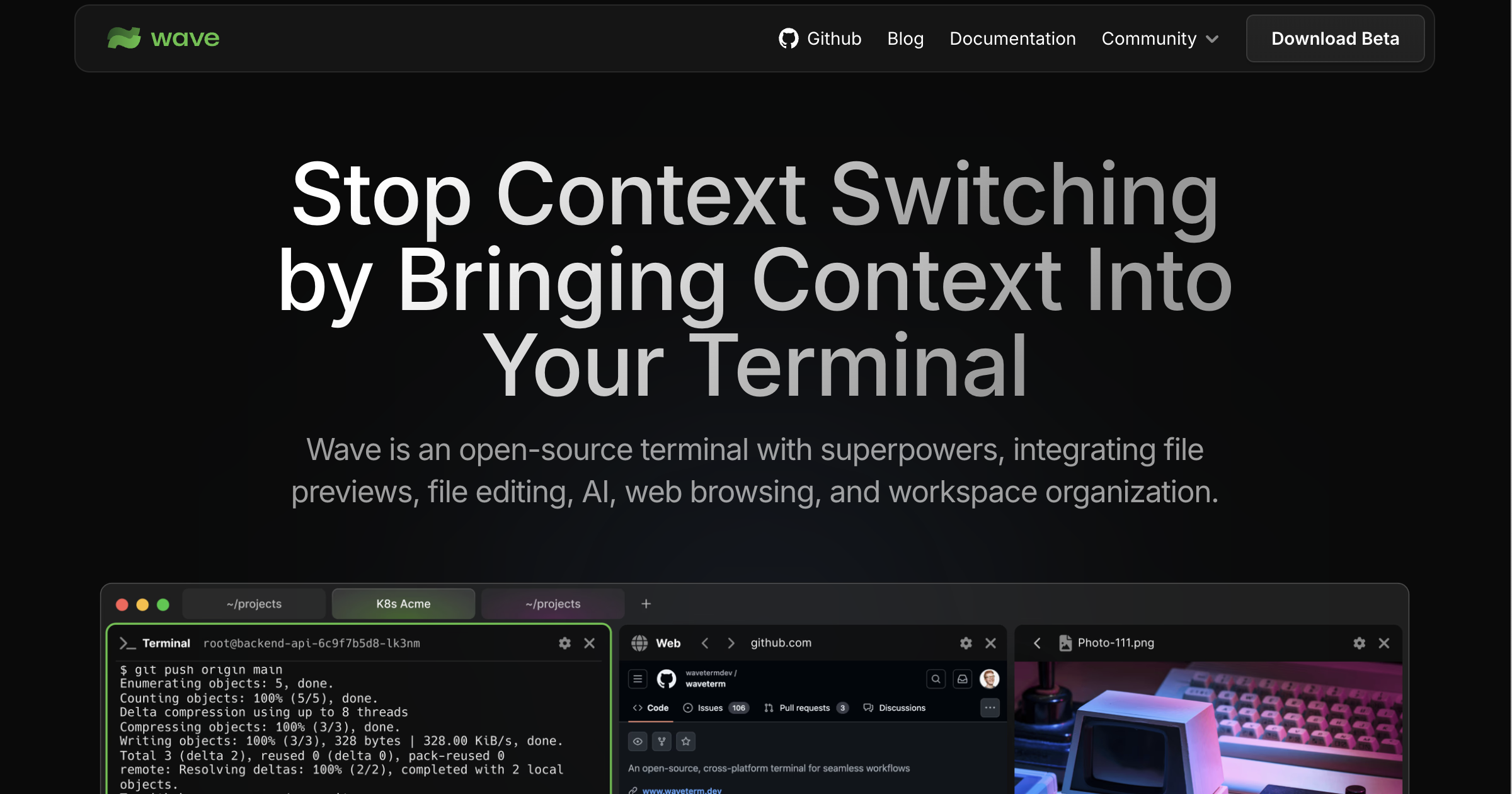
Wave takes a different angle. Outputs aren’t just lines of text; commands can render charts, tables, and embedded panels. The AI assistant sits in a side panel and answers questions about the current session.
Where it falls short: the workflow takes adjustment. If you live in Vim-keys-only, the panel-based UI feels heavy.
Pricing: Fully free at present. A paid tier is in development.
Download: waveterm.dev/download
Bottom line: Choose Wave when you want a terminal that renders results visually and you don’t mind a panel-based interface.
7. Hyper, best for customization through web tech
Hyper is the JavaScript-and-CSS option. Plugins are npm packages, the renderer is Electron with xterm.js, and the customization community is large.
Where it falls short: performance lags behind native renderers on heavy outputs. Plugins vary in maintenance.
Pricing: Fully free, MIT licensed.
Download: hyper.is
Bottom line: Pick Hyper when you want to write your own plugins in JavaScript and you accept the Electron overhead.
8. ConEmu, best for veterans who built their setup years ago
ConEmu has been the Windows power user’s terminal since long before Windows Terminal existed. The configuration surface is deep, the stability is real, and the integration with Far Manager and other Windows-native tools is unmatched.
Where it falls short: the UI shows its age, and the configuration interface is overwhelming for newcomers. Active development has slowed.
Pricing: Fully free.
Download: conemu.github.io/en/Downloads.html
Bottom line: Use ConEmu if you’ve used it for a decade and your setup works. New users should start elsewhere.
How to pick the right one
If you want AI in the prompt, pick Warp.
If you want the strongest free Windows Terminal upgrade with a built-in multiplexer, pick WezTerm.
If you want pure speed and don’t need tabs, pick Alacritty with Zellij inside WSL.
If you live in SSH sessions, pick Tabby.
If you tried Windows Terminal’s AI preview and weren’t sold, pick Warp or Wave.
If you are happy with Windows Terminal, stay there.
FAQ
What is the best terminal for AI coding tools on Windows?
Warp’s Agent Mode and inline suggestions are the most mature AI implementation in a terminal in 2026. Windows Terminal’s Intelligent Terminal preview is closing the gap but is still trailing.
Is WezTerm faster than Windows Terminal?
For heavy outputs and large scrollback, yes. WezTerm’s GPU-accelerated renderer handles bursts of text without the stutter Windows Terminal still shows.
Do these terminals work with WSL?
Yes. All eight detect WSL distributions and let you open a WSL shell as a profile or tab. WezTerm and Windows Terminal have the smoothest auto-detection.
Is there a free Warp alternative?
WezTerm is free and ships modern features (GPU rendering, multiplexer, Lua configuration) without the AI layer. Tabby covers the SSH side of what Warp does.
Can I use Alacritty without tmux?
You can, but you lose tabs and splits. Alacritty’s developers recommend pairing it with tmux or Zellij if you need that.
What about iTerm2 on Windows?
iTerm2 is macOS only. WezTerm is the closest cross-platform equivalent on Windows.