HyperTerminal used to ship with Windows. Microsoft cut it out after XP, and Hilgraeve has been selling HyperTerminal Private Edition as a paid legacy install ever since. It still connects to a serial console, still dials a modem, still runs Zmodem transfers to embedded hardware, and still speaks TN3270 for the last mainframe operators. It also still has a UI from the Windows 98 era, no tabs, no SSH, no scripting worth using, and a “trial version” that nags you every session and disables after 30 days. People searching for HyperTerminal alternatives fall into two groups: sysadmins who need a working serial and telnet client on modern Windows, and network engineers who want tabs, SSH, and macros in the same app. We compared seven that cover both.
Quick comparison
| App | Best for | License | Standout |
|---|---|---|---|
| PuTTY | The universal default | Free, open-source | SSH, telnet, serial, and raw all in one |
| Tera Term | Serial console power users | Free, open-source | Best macro language of the group |
| MobaXterm | Network engineers | Freemium | Tabs, X11, SFTP browser in one window |
| Windows Terminal | Modern shell tabs | Free, open-source | GPU-accelerated, first-party, tabs |
| KiTTY | Portable PuTTY plus | Free, open-source | Session folders, auto-login, portable EXE |
| RealTerm | Raw binary and debug | Free | Byte-level view for hardware bring-up |
| Termius | Multi-device SSH | Freemium | Same sessions on desktop and phone |
Why people leave HyperTerminal
The trial nag never goes away. HyperTerminal Private Edition is not free. The 30-day trial converts to a nag screen on every launch, and the license is a per-seat one-time purchase that Hilgraeve has bumped over the years. Free options exist that do more.
No tabs. Every connection opens a new window, which becomes unmanageable the moment you are talking to more than two devices. Every modern terminal has tabs. HyperTerminal does not.
No SSH. The classic HyperTerminal is Telnet-only. If you have to touch a Cisco device or a Linux server on the internet in 2026, cleartext telnet is out. PuTTY, MobaXterm, and Termius all speak SSH natively.
Scripting is thin. HyperTerminal has a private, undocumented scripting hook that almost nobody uses. Tera Term’s TTL scripting language and Termius’s snippet system both leave it behind.
The Vista-era UI does not scale. On a 4K display, the fonts render tiny, the toolbar icons blur, and the window chrome is stuck in the old Win32 look. The app was never updated for high-DPI.
The alternatives
PuTTY: the universal default
PuTTY is the tool almost every Windows sysadmin already has on their toolbar. It speaks SSH, telnet, serial, rlogin, and raw TCP, and the single .exe fits on a thumb drive. Simon Tatham has kept it maintained for over two decades, and the release cadence is slow but steady. It is the closest one-to-one HyperTerminal replacement when all you need is “connect and type.”
Where it falls short: No tabs, no session folders, and the config UI is a maze of tree-view panels. Serial console support works, but the copy-paste model surprises people used to Windows conventions.
Pricing: Free and open-source.
vs HyperTerminal: Adds SSH. Everything else is roughly at parity. Free.
Migrating from HyperTerminal: Point at the COM port or the host, save the session, connect. Serial parameters live on the same dialog.
Download: putty.org
Bottom line: The default. Install it first, decide whether you need more later.
Tera Term: serial console power users
Tera Term is the app hardware and firmware engineers actually use for serial work. It talks to any COM device, supports every flow control variant HyperTerminal did, adds Xmodem, Ymodem, Zmodem, and Kermit file transfer, and includes a full macro language (TTL) that can drive a repeatable test on a board. The project moved to GitHub in 2019 and now ships regular updates.
Where it falls short: No tabs. The UI feels dated even if it is not as bad as HyperTerminal’s. Documentation for TTL scripting is technical and mostly in Japanese-authored English.
Pricing: Free and open-source.
vs HyperTerminal: Same serial workflow, plus SSH, plus real scripting.
Migrating from HyperTerminal: Set the COM port, baud rate, and handshake in the New Connection dialog. Zmodem sends drop straight in.
Download: teratermproject.github.io
Bottom line: The right pick if you spend your day on a serial console.
MobaXterm: network engineers
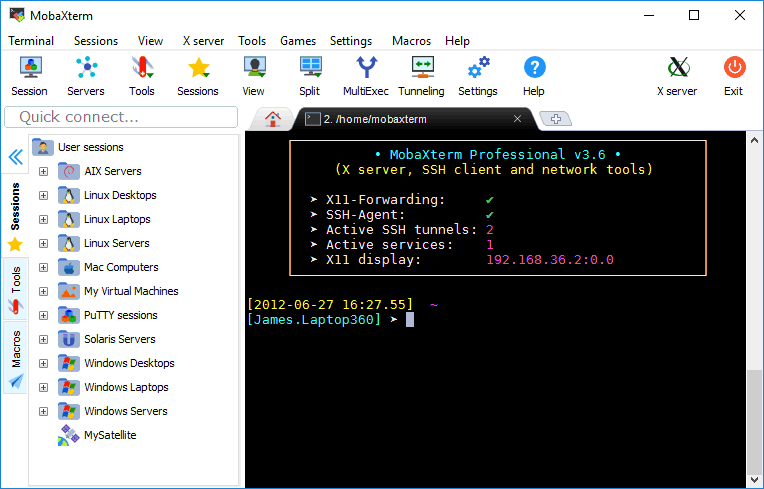
MobaXterm is a full network-engineer workstation in one app. Tabs, SSH with saved sessions, a built-in X11 server for remote GUI apps, an SFTP file browser that pops up when you SSH in, and support for RDP, VNC, telnet, and serial in the same window. The Home edition is free with a session count cap that most people never hit; the Professional edition removes it.
Where it falls short: The free version limits saved sessions and macros. Some people find the density overwhelming coming from a single-purpose tool. Portable edition is behind a paywall.
Pricing: Free Home edition (12 sessions, 4 macros). Professional starts at 69 USD per user per year.
vs HyperTerminal: Different class of tool. Everything HyperTerminal did, plus much more.
Migrating from HyperTerminal: New serial session, pick the COM port, connect. Save it to reuse.
Download: mobaxterm.mobatek.net
Bottom line: The right pick if you run a mixed environment and want one app open all day.
Windows Terminal: modern shell tabs
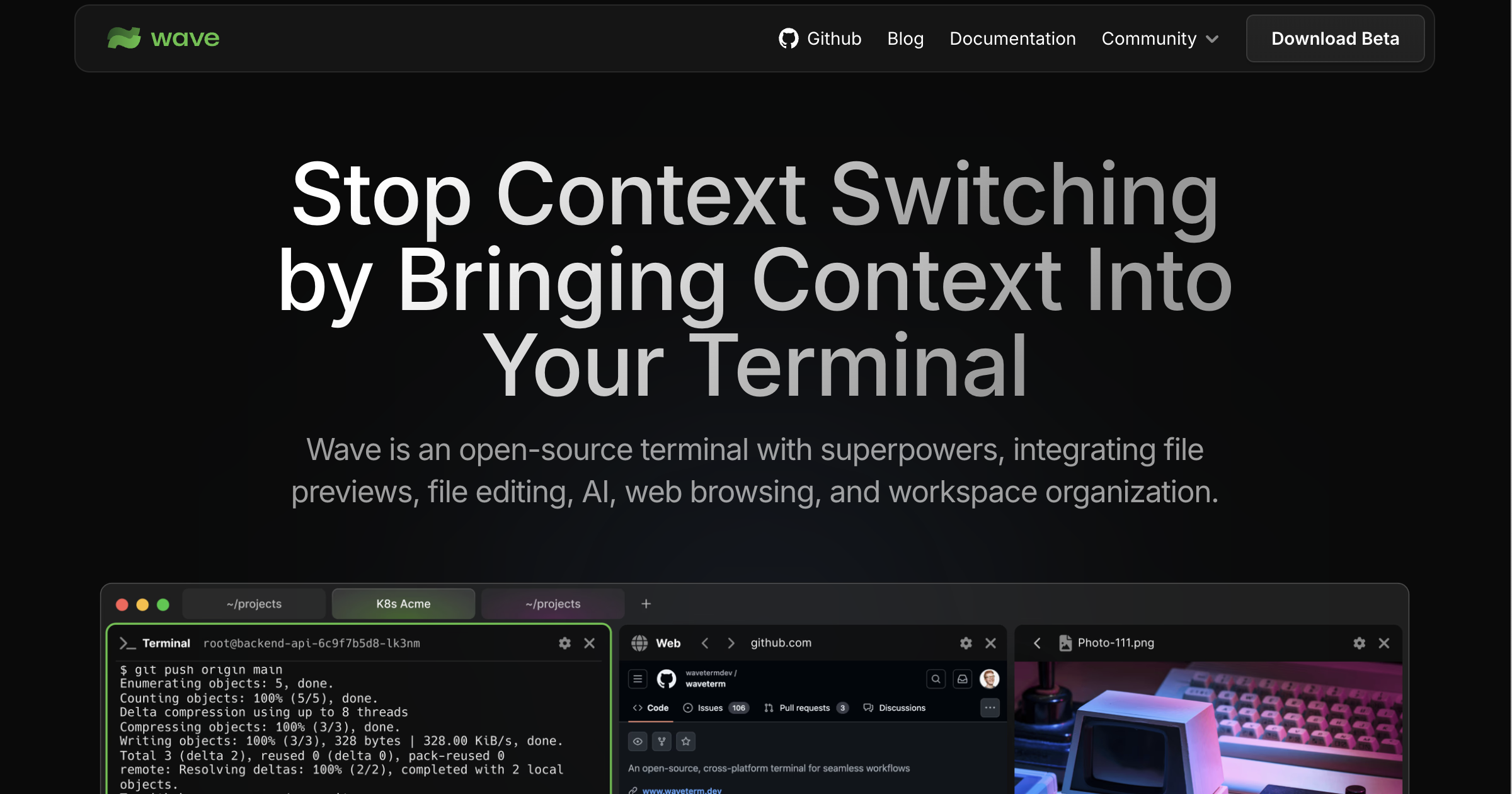
Windows Terminal is Microsoft’s modern replacement for the old console window. It is not a network client on its own, but paired with the built-in OpenSSH client on Windows 10 and 11 it does everything HyperTerminal did over the network, with tabs, GPU-accelerated rendering, real Unicode support, and JSON configuration. Serial support requires the community wsltty or plink bridge, so it is not a straight swap for a firmware engineer.
Where it falls short: No native serial console. No file-transfer helper. Sessions are configured in JSON, which some sysadmins prefer and some do not.
Pricing: Free and open-source. Ships in the Microsoft Store.
vs HyperTerminal: Wins on shell and SSH. Loses on serial COM and Zmodem.
Migrating from HyperTerminal: Use for SSH, RDP-adjacent shells, and Azure Cloud Shell. Keep PuTTY or Tera Term for the serial cable.
Download: github.com/microsoft/terminal
Bottom line: The right pick if all your remote work is SSH. Not right if you still need a COM cable.
KiTTY: portable PuTTY plus
KiTTY is a fork of PuTTY that adds the things PuTTY never got around to: session folders, chained login scripts, run-command-on-connect, portable mode with settings inside the folder, and a tray icon. It is the same feel as PuTTY with the sharp edges filed off. It runs where PuTTY runs.
Where it falls short: The maintainer is a small team, and updates lag PuTTY’s security releases sometimes. UI still looks like PuTTY, so it inherits the old Win32 dialog aesthetic.
Pricing: Free.
vs HyperTerminal: Same as PuTTY, plus session organization and portability.
Migrating from HyperTerminal: Import PuTTY sessions or set them up fresh. Serial parameters are in the same tree.
Download: 9bis.net/kitty
Bottom line: Pick KiTTY over PuTTY if you have more than a dozen saved hosts.
RealTerm: raw binary and debug
RealTerm is the tool for hardware bring-up. It displays every byte on a serial line in hex, ASCII, or both side by side, sends arbitrary byte sequences, logs the wire, and never tries to interpret escape codes. If you are debugging a broken firmware boot loader and need to see exactly what the chip is sending, this is what you want.
Where it falls short: The UI is dense and reads like a lab instrument. No SSH, no scripting language, no tabs. Documentation is a wiki that has not been reformatted since 2010.
Pricing: Free.
vs HyperTerminal: Different tool for different work. Better than HyperTerminal for byte-level serial debugging by a wide margin.
Migrating from HyperTerminal: Point at the COM port, pick a display mode, watch bytes.
Download: sourceforge.net/projects/realterm
Bottom line: For firmware and embedded work where you need to see the wire.
Termius: multi-device SSH
Termius is a modern SSH client with the same session list on desktop, tablet, and phone through a paid sync layer. Windows, macOS, Linux, iOS, and Android all share the same UI. It is an SSH-first tool, not a serial console, but a lot of HyperTerminal users only used it for Telnet to network gear, and Termius wins that category cleanly.
Where it falls short: Cloud sync is behind a subscription. No serial console support. Some sysadmins do not want a cloud service in the middle of their SSH keys.
Pricing: Free tier with basic SSH. Premium at around 10 USD per month unlocks sync, snippets, and SFTP.
vs HyperTerminal: Ignores the serial half. Wins hard on the network half.
Migrating from HyperTerminal: Add hosts to the cloud vault, connect from any device.
Download: termius.com
Bottom line: Right if you jump between machines and want the same sessions everywhere.
How to choose
Pick PuTTY first. It is the default for a reason: one .exe, every protocol HyperTerminal ever needed, no cost, and everyone else in the industry uses it.
Pick Tera Term if the serial console is your daily driver. The scripting language is worth learning.
Pick MobaXterm if you run a mixed environment with SSH, RDP, SFTP, and the occasional serial cable, all in one day. It replaces four tools.
Pick Windows Terminal if your work is entirely on modern OSes over SSH. Skip it if the serial cable is still on your desk.
Pick RealTerm for firmware and hardware debugging. It is not competing with the others; it is a different tool.
Stay on HyperTerminal Private Edition only if you have a scripted TN3270 workflow tied to it, or a Zmodem transfer flow you have documented for a regulated environment and cannot afford to change. Everything else is better elsewhere and cheaper.
FAQ
What replaced HyperTerminal in modern Windows?
Microsoft does not ship a first-party terminal that speaks serial or telnet. The community answer is PuTTY for general use, Tera Term for serial console work, and Windows Terminal for shell tabs.
Does PuTTY support serial COM ports like HyperTerminal did?
Yes. PuTTY has had serial support since around version 0.59. Pick “Serial” as the connection type, enter the COM port and baud rate, and it behaves the same way HyperTerminal did over a physical cable.
Is HyperTerminal really still sold in 2026?
Hilgraeve still lists HyperTerminal Private Edition on their site as a one-time-purchase legacy product. Almost every use case it was bought for has a free alternative now, which is why the subscriber base has been shrinking for years.
Which terminal emulator is best for talking to a Cisco switch?
PuTTY or SecureCRT for a single session, MobaXterm if you manage a rack of them and want tabs plus SFTP in the same window. Windows Terminal with the built-in OpenSSH also works for the shell side.
Can any of these do file transfers over serial like Zmodem?
Tera Term and RealTerm both handle Zmodem, Xmodem, Ymodem, and Kermit natively. PuTTY does not out of the box; the workaround is to run a helper on the far side. HyperTerminal’s Zmodem story was one of its main uses, and Tera Term is the direct replacement.
Is there a free terminal for Windows that has tabs?
Windows Terminal from Microsoft. Also MobaXterm’s free Home edition. KiTTY has a workaround using session folders, but not true tabs in one window.