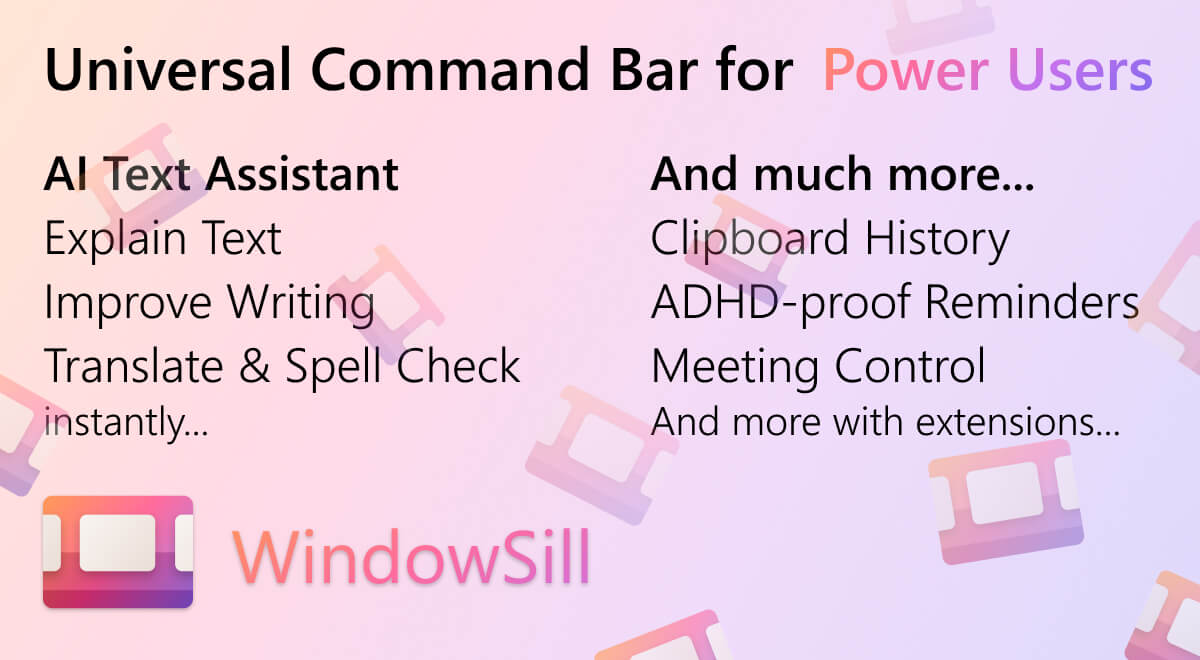
WindowSill drops a TouchBar-style command bar above the Windows 11 taskbar, with AI text actions, media controls, clipboard history, and meeting buttons. XDA called it a fantastic addition to the stock taskbar, and the app has a fair following. The build sits in a slightly awkward spot, though: it adds a bar but it does not change the taskbar itself, the AI features require sign-in, and some users want a deeper rewrite of how the taskbar behaves on Windows 11. We tested 7 WindowSill alternatives that approach the same problem from different angles, taskbar replacement, launcher overlay, system utility, and window management.
Every pick runs on Windows 10 or 11, most are free, and several are open-source.
Quick comparison
| App | Best for | Free plan | Approach | Standout feature |
|---|---|---|---|---|
| Microsoft PowerToys | Power users on stock Windows | Yes, fully | System utility suite | PowerToys Run launcher |
| ExplorerPatcher | Bringing back Windows 10 taskbar | Yes, fully | Shell patcher | Restore Win10 taskbar |
| StartAllBack | Polished Win10 / Win7 shell | $4.99 (lifetime) | Shell rewrite | Three Start menu styles |
| TranslucentTB | Taskbar transparency control | Yes, fully | Visual tweak | Per-app taskbar opacity |
| RoundedTB | Floating, rounded taskbar | Yes, fully | Visual tweak | Centered, rounded segments |
| Flow Launcher | Spotlight-style launcher | Yes, fully | Launcher overlay | Plugins for everything |
| 7+ Taskbar Tweaker | Per-app taskbar behavior | Donation | Taskbar deep customizer | Per-button behavior |
Why WindowSill alternatives are worth a look
The first complaint we kept seeing on r/Windows11 is the AI sign-in. WindowSill’s text-assistance features (rewrite, proofread, summarize, translate) require an account; a lot of users want the productivity overlay without giving up an email.
The second is the stack overlap. The WindowSill bar sits above the taskbar; it does not replace or fix the taskbar itself. Users who never adjusted to the centered Win11 taskbar still see a centered Win11 taskbar after installing WindowSill. ExplorerPatcher and StartAllBack solve that part directly.
The third is extension coverage. WindowSill’s extensions are growing but the catalog is small. Flow Launcher and PowerToys Run both have plugin ecosystems with hundreds of community extensions.
The fourth is RAM. WindowSill’s per-tab AI sidekicks add 200 to 400 MB of resident memory on a busy session. The lighter picks below sit under 50 MB.
The 7 best WindowSill alternatives
Microsoft PowerToys — the strongest WindowSill alternative for most users
Microsoft PowerToys is Microsoft’s own free, open-source, batteries-included utility suite, and it covers most of what WindowSill markets. PowerToys Run is a Spotlight-style launcher with file search, calculator, web search, and unit conversion. FancyZones replaces window management. Text Extractor handles screen OCR. Keyboard Manager remaps keys. Color Picker, Image Resizer, and PowerRename round out the daily set. Updates ship every few weeks, and the project is run by Microsoft’s Windows team itself.
Where it falls short: No persistent bar above the taskbar; PowerToys Run is invoked on a shortcut. The AI text-assist piece is not present (use a separate clipboard AI for that).
Pricing:
- Free: Fully free, MIT license
- Paid: None
- vs WindowSill: Free, no account, deeper feature set, but no persistent overlay bar
Download: PowerToys on GitHub or Microsoft Store
Bottom line: The default WindowSill alternative for any Windows 11 user who wants official tooling.
ExplorerPatcher — best for restoring Windows 10 taskbar behavior
ExplorerPatcher is an open-source shell patcher that hooks into Explorer.exe and restores Windows 10 taskbar behavior on Windows 11: ungrouping, label-on-icon, left-aligned Start, classic context menus, and the Windows 10 Alt-Tab. It is the cleanest fix on this list if your complaint with Windows 11 was the taskbar redesign.
Where it falls short: It is a shell patcher, so feature-update compatibility is a recurring concern. Maintainers usually update within a few days of a Windows feature update, but expect occasional friction.
Pricing:
- Free: Fully free, GPLv2
- Paid: None
- vs WindowSill: Free, taskbar-first, no AI features, no command bar
Download: ExplorerPatcher on GitHub
Bottom line: The fix for anyone who never adjusted to Win11’s taskbar redesign.
StartAllBack — best polished Windows 10 / Windows 7 shell
StartAllBack is the closed-source paid alternative to ExplorerPatcher, with three Start menu styles (Win10, Win7, Win11 polished), classic File Explorer, properly grouped taskbar buttons, and clean uninstallation. The one-time purchase is $4.99 per device with a 30-day free trial. Stability through Windows feature updates is the best of any shell modifier we tested.
Where it falls short: Paid. Closed source. The trial is generous but the licensing is per-device.
Pricing:
- Free: 30-day trial
- Paid: $4.99 per device, lifetime
- vs WindowSill: Paid, taskbar-first, no AI
Download: StartAllBack
Bottom line: The pick if ExplorerPatcher’s feature-update friction frustrated you.
TranslucentTB — best for taskbar transparency control
TranslucentTB is a tiny, open-source utility that makes the Windows taskbar transparent (or any opacity you want), with rules per active window. Maximized window gets opaque, Explorer gets glass, Start menu opens with a tint. It is by far the most-installed open-source taskbar tweaker on the Microsoft Store, with millions of downloads.
Where it falls short: Visual only; no functional changes. The community asked for a per-monitor opacity setting for years; it has not arrived.
Pricing:
- Free: Fully free
- Paid: None
- vs WindowSill: Free, visual-only, no overlay or AI
Download: TranslucentTB on Microsoft Store or GitHub
Bottom line: The lightweight visual upgrade for anyone who likes the Win11 taskbar but wants it to look better.
RoundedTB — best for a floating, rounded taskbar
RoundedTB rounds the corners of the Windows taskbar and lets you split it into centered, rounded segments around the Start, search, and system tray groups. It works alongside TranslucentTB if you want both the round-and-float look and adjustable transparency. The author keeps the project simple by design; this is one feature, done well.
Where it falls short: One feature only. The rounding can clip pinned-app icons on smaller taskbar heights.
Pricing:
- Free: Fully free, open source
- Paid: None
- vs WindowSill: Free, cosmetic, no overlay or productivity bar
Download: RoundedTB on Microsoft Store or GitHub
Bottom line: Pair with TranslucentTB for the floating-glass taskbar look.
Flow Launcher — best Spotlight-style launcher
Flow Launcher is the most-recommended open-source launcher for Windows. It is invoked by Alt-Space (configurable), searches files, launches apps, does calculator and web search natively, and supports a plugin store with hundreds of extensions. The community has built plugins for everything from Spotify control to Bitwarden lookup to LeetCode search.
Where it falls short: No persistent bar; it is invoked on shortcut. First-run indexing on large drives takes a few minutes.
Pricing:
- Free: Fully free, MIT license
- Paid: None
- vs WindowSill: Free, launcher-first, no AI features built in
Download: Flow Launcher or Microsoft Store
Bottom line: Best WindowSill alternative for anyone who wanted the AI bar mostly for fast search and shortcut launches.
7+ Taskbar Tweaker — best for per-app taskbar behavior
7+ Taskbar Tweaker is the legendary deep-customization tool from RaMMicHaeL that turns every taskbar behavior into a setting. Left-click and middle-click actions, drag and drop reordering, per-app ungrouping, jumplist behavior, mouse-wheel-on-taskbar volume, all configurable. The 7+ Taskbar Tweaker rewrite for Windows 11 keeps the same approach.
Where it falls short: The UI is dense; this is a 30-checkbox utility, not a polished consumer app. Setup is a sit-down session.
Pricing:
- Free: Donation requested, no enforcement
- Paid: None
- vs WindowSill: Free, taskbar-only, no overlay
Download: 7+ Taskbar Tweaker
Bottom line: The pick for users who want every taskbar behavior to be a setting.
How to choose
Pick Microsoft PowerToys if you want one official, supported tool that covers launcher, OCR, and window management. Pick ExplorerPatcher if your real complaint is the Windows 11 taskbar redesign and you want Windows 10 behavior back. Pick StartAllBack if you tried ExplorerPatcher and didn’t want to babysit it through feature updates.
Pick TranslucentTB and RoundedTB together if your goal is a better-looking stock taskbar. Pick Flow Launcher if the WindowSill draw was the search and launch shortcut. Pick 7+ Taskbar Tweaker if you wanted granular control over every taskbar behavior. Stay on WindowSill if the AI text-assist and meeting-controls bar are genuinely the daily-driver features for you.
FAQ
Is WindowSill free?
Yes, the base app is free. Some features (the AI text-assist actions in particular) require a sign-in and use server-side compute, which can change pricing in the future. PowerToys, ExplorerPatcher, TranslucentTB, RoundedTB, and Flow Launcher are all free and require no account.
What is the best WindowSill alternative for Windows 11?
For most users, Microsoft PowerToys covers the largest share of WindowSill’s value (launcher, productivity utilities) without the sign-in. If your priority was specifically a persistent overlay bar, there is no exact equivalent, the design space is small. The Stardock Object Desktop suite and Rainmeter come closest but neither has WindowSill’s AI angle.
Does ExplorerPatcher break Windows updates?
Major Windows feature updates can break it temporarily until the maintainer pushes an update, which usually happens within a few days. StartAllBack tends to be more stable through feature updates because its updates ship via its own auto-updater.
Can I run several of these alongside each other?
PowerToys, TranslucentTB, RoundedTB, and Flow Launcher all happily coexist. Don’t run ExplorerPatcher and StartAllBack together, they patch the same parts of Explorer.
Are there open-source WindowSill alternatives?
Yes. PowerToys, ExplorerPatcher, TranslucentTB, RoundedTB, and Flow Launcher are all open source. StartAllBack and 7+ Taskbar Tweaker are closed source; StartAllBack is paid.