
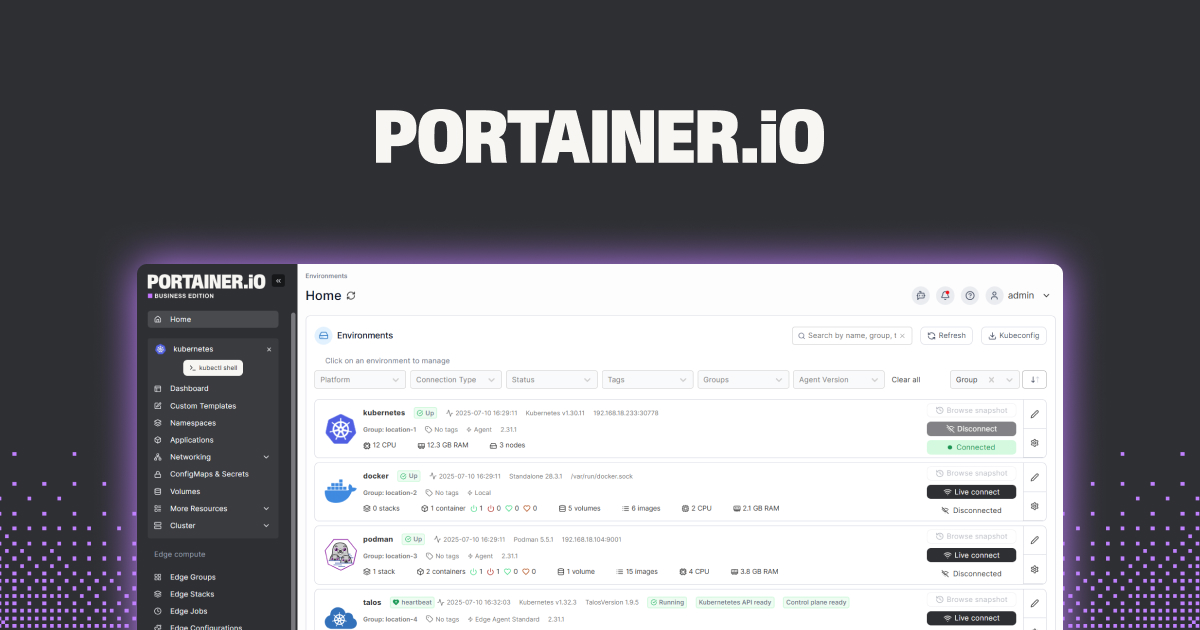
XDA’s recent piece on ditching Portainer for a lighter Docker UI matched what a lot of self-hosters have been muttering for two years: the free tier got narrower, the Business Edition nags multiplied, and the UI still treats Docker Compose like a second-class citizen. The Portainer alternatives below all run on whatever desktop or NAS hardware you already use, and most of them lean into Compose stacks instead of forcing single-container thinking.
We tested seven Portainer alternatives across a home server, a Windows mini PC with WSL2, and a macOS workstation running Docker Desktop. The picks span pure Compose managers, full PaaS-style replacements, and bare-bones lists for people who just want a status page.
Quick comparison
| App | Best for | Free plan | Starting price | Standout feature |
|---|---|---|---|---|
| Dockge | Compose-first stack management | Yes, fully | Free | Edit compose.yaml live in the UI |
| Yacht | Template-driven one-click installs | Yes, fully | Free | App template marketplace built in |
| Komodo | Multi-server fleet management | Yes, fully | Free | Rust-built, ties Docker to Git deployments |
| LazyDocker | Terminal UI for fast triage | Yes, fully | Free | Single binary, no web server needed |
| Dokploy | Self-hosted Vercel-style PaaS | Yes, fully | Free | Traefik + Compose + Postgres in one UI |
| Cockpit + cockpit-docker | Light Docker UI on a real server console | Yes, fully | Free | Lives inside the same panel that manages the OS |
| Rancher Desktop | Cross-platform Docker + Kubernetes locally | Yes, fully | Free | Single installer replaces Docker Desktop + Lens |
Why people leave Portainer
Community Edition limits keep tightening
Portainer CE remains free, but features that were standard a few years ago (multi-host management beyond three nodes, audit logging, fine-grained RBAC) now sit behind the Business license. The free tier is fine for a single Docker host. Step up to two or three boxes and the upgrade nag is constant.
Compose feels bolted on
The Compose editor renders YAML in a textarea, doesn’t validate against the spec, and silently ignores some volume short-syntax. People who actually live in compose.yaml gravitate to tools that treat it as the unit of work, not the secondary view.
The UI is slow on small hardware
Portainer’s agent + UI footprint shows up on Raspberry Pi 4 and N100 mini PCs. The interface stutters when a stack has more than a handful of containers, and the auto-refresh hammers smaller CPUs.
Stack state gets out of sync
Edit a compose file outside Portainer and the UI still thinks it owns the stack, then either refuses to act on it or stomps the change. The recovery path is to delete and recreate, which is fine until you do it on Pi-hole at 11 PM.
The alternatives
Dockge — Best for Compose-first workflows
Dockge treats compose.yaml as the unit of management. The UI is a thin layer over the on-disk file, so editing in Dockge and editing in VS Code are the same thing. Stacks live in a directory you pick, which keeps backup and git versioning straightforward. The author of Uptime Kuma maintains it, which explains the polish.
Where it falls short: Single-host only — there is no agent for managing remote Docker engines. No image registry support beyond what Docker itself offers. The web terminal is functional but lacks the polish of Portainer’s exec view.
Pricing:
- Free: full feature set, open source under MIT
- Paid: none
- vs Portainer: simpler, single-host, Compose-native
Migrating from Portainer: Export each stack’s compose file, drop it into /opt/stacks/<stackname>/compose.yaml, point Dockge at /opt/stacks, then redeploy. Portainer-specific volume bindings carry over without changes.
Download: Dockge on GitHub
Bottom line: Pick this if your homelab is one or two hosts and your real source of truth is the compose file.
Yacht — Best for one-click template installs
Yacht focuses on templates. The bundled template index covers the usual self-hosted suspects (Plex, Nextcloud, Vaultwarden, Jellyfin, the *arr stack) and one-click installs work without writing compose by hand. The interface is the lightest in this list, which makes it usable on ARM single-board computers.
Where it falls short: Still labelled alpha by the maintainers, and the release cadence is uneven. Some templates lag the upstream image by a few versions. Multi-host support is unfinished.
Pricing:
- Free: open source under MIT
- Paid: none
- vs Portainer: lighter, template-first, less polished
Migrating from Portainer: Yacht can import Portainer App Templates v2 JSON directly. Container migrations involve recreating from a template and pointing the volumes at the existing data directories.
Download: Yacht
Bottom line: Pick this on a Pi or low-power mini PC where the goal is “install a thing in two clicks” and template variety matters.
Komodo — Best for multi-server fleets
Komodo is the new generation. Written in Rust, it ties Docker stacks to Git repositories so deployments become reproducible across machines. The architecture splits the core (a single binary) from periphery agents that run on each managed host, which scales better than Portainer’s agent model.
Where it falls short: Steeper learning curve than Dockge — you commit to the Git-as-source-of-truth model or fight it. Documentation is improving but still assumes Linux server fluency. The community is smaller than Portainer’s.
Pricing:
- Free: open source under GPLv3
- Paid: none
- vs Portainer: more powerful for fleets, fewer hand-holding features
Migrating from Portainer: Move each stack’s compose file into a Git repo, point Komodo at the repo, and let it deploy. Komodo can run alongside Portainer during the transition because they don’t fight over the same containers.
Download: Komodo
Bottom line: Pick this when you manage three or more Docker hosts and want a Git workflow rather than click-ops.
LazyDocker — Best for terminal-first triage
LazyDocker is a terminal UI rather than a web UI. One binary, no daemon, no auth surface to worry about. It surfaces logs, stats, and exec sessions in a navigable layout that feels like K9s for Docker. Pair it with tmux and you have a faster debugging loop than any web panel.
Where it falls short: No remote host management — it’s local Docker socket only. No stack editing; you still need an editor for compose changes. Not suitable as a primary “single pane of glass” if non-developers need to use it.
Pricing:
- Free: open source under MIT
- Paid: none
- vs Portainer: instant, no auth, no web UI
Migrating from Portainer: Install via Homebrew, apt, or the bare binary, run lazydocker in the project directory. Nothing to migrate — it reads the live Docker state.
Download: LazyDocker on GitHub
Bottom line: Pick this as a sidecar to whichever web UI you choose. The triage workflow it enables is uncatchable in a browser.
Dokploy — Best self-hosted PaaS replacement
Dokploy is the self-hosted answer to Vercel and Railway. It wraps Docker, Docker Swarm, Traefik, and a Postgres app-config store into a single deployment pipeline. Push a Git repo, point Dokploy at it, and the platform builds, configures TLS, and deploys. The UI feels closer to a SaaS dashboard than Portainer ever did.
Where it falls short: Heavier than Dockge or Yacht — assumes you want the full PaaS, not just a container UI. The Compose editor exists but takes a back seat to the build pipeline. SSO and team features are in the roadmap rather than shipping.
Pricing:
- Free: open source under Apache 2.0
- Paid: hosted cloud version in beta with usage-based pricing
- vs Portainer: app-platform-oriented, more opinionated, less raw Docker
Migrating from Portainer: Treat Dokploy as a fresh install. Containers running on the host stay where they are; Dokploy adopts new deployments rather than importing existing stacks.
Download: Dokploy
Bottom line: Pick this when “deploy a small app from Git” is the daily task and you want SaaS ergonomics without the SaaS bill.
Cockpit + cockpit-docker — Best for server-console-first admins
Cockpit is the Red Hat web console for Linux servers. The cockpit-docker module adds container management to the same panel that handles systemd units, storage, networking, and firewall rules. The Docker view is basic, but the context of having one console for the whole machine is the value.
Where it falls short: The Docker module is the least mature view in Cockpit, and it shows. Stack editing is rudimentary. There is no template index. Multi-host requires Cockpit’s own federation, which is more work than Portainer’s agents.
Pricing:
- Free: open source under LGPL
- Paid: none
- vs Portainer: tiny scope, integrated with full OS admin
Migrating from Portainer: Install the cockpit-docker module from your distro’s repo. Existing containers appear immediately. Stack edits move into a text editor or a separate Compose tool.
Download: Cockpit Project
Bottom line: Pick this when Docker is one of many things you administer on the box and you already use Cockpit for the rest.
Rancher Desktop — Best for cross-platform local development
Rancher Desktop is the SUSE-backed Docker Desktop replacement. It packages containerd, Docker CLI tooling, and a single-node Kubernetes cluster in one installer for Windows, macOS, and Linux. The UI is minimal by design — the value is the bundled local stack, not a container management UI.
Where it falls short: Not a server-side Portainer replacement. The UI is dev-workstation-oriented; if you want a web panel to manage a remote NAS, this isn’t it. Image pull settings hide behind preferences that aren’t obvious.
Pricing:
- Free: open source under Apache 2.0
- Paid: none
- vs Portainer: local dev focus, no remote management
Migrating from Portainer: Install Rancher Desktop, enable Docker compatibility, point the Docker CLI at the new socket. Use a separate tool (Dockge, Komodo) for remote hosts.
Download: Rancher Desktop
Bottom line: Pick this when you’re replacing Docker Desktop on your dev machine and want Kubernetes in the same install.
How to choose
Pick Dockge if your homelab fits on one or two hosts and you treat compose.yaml as the truth.
Pick Komodo if you run three or more Docker hosts and Git-driven deployments sound right.
Pick Dokploy if your daily task is shipping small web apps and you want a self-hosted Vercel feel.
Pick Yacht if your priority is one-click template installs on lightweight hardware.
Pick Cockpit + cockpit-docker if you already use Cockpit and want Docker inside the same console.
Pick LazyDocker as a debugging sidecar to whichever web UI you choose.
Pick Rancher Desktop to replace Docker Desktop on Windows or macOS without paying for the new license tier.
Stay on Portainer if you need its Kubernetes UI alongside Docker, or if your team already pays for Business and uses the RBAC features. Nothing on this list matches Portainer’s Kubernetes scope.
FAQ
What is the simplest Portainer alternative?
Dockge. One binary, one compose directory, no fleet management or template engine to learn. If you can read a compose file, you can run Dockge.
Is there a free Portainer alternative for multiple hosts?
Komodo. It scales across multiple hosts without a paid upgrade, which is the gap that pushes most homelab users off Portainer CE.
Can I run Docker Compose stacks without a UI at all?
Yes — just run docker compose up -d in each stack directory. LazyDocker on top gives you a triage UI without forcing a web panel.
Does Portainer still work with Docker Swarm in 2026?
Yes, but Swarm itself is in long-term maintenance mode rather than active development. Most teams moving off Portainer also drop Swarm; Komodo, Dokploy, and Rancher Desktop all favour plain Docker or Kubernetes.
Why did people stop recommending Portainer?
The Business Edition push narrowed the free tier and added persistent UI prompts, and the Compose experience didn’t keep up with how Compose became the default unit of work. Newer tools picked up exactly those weak points.

