
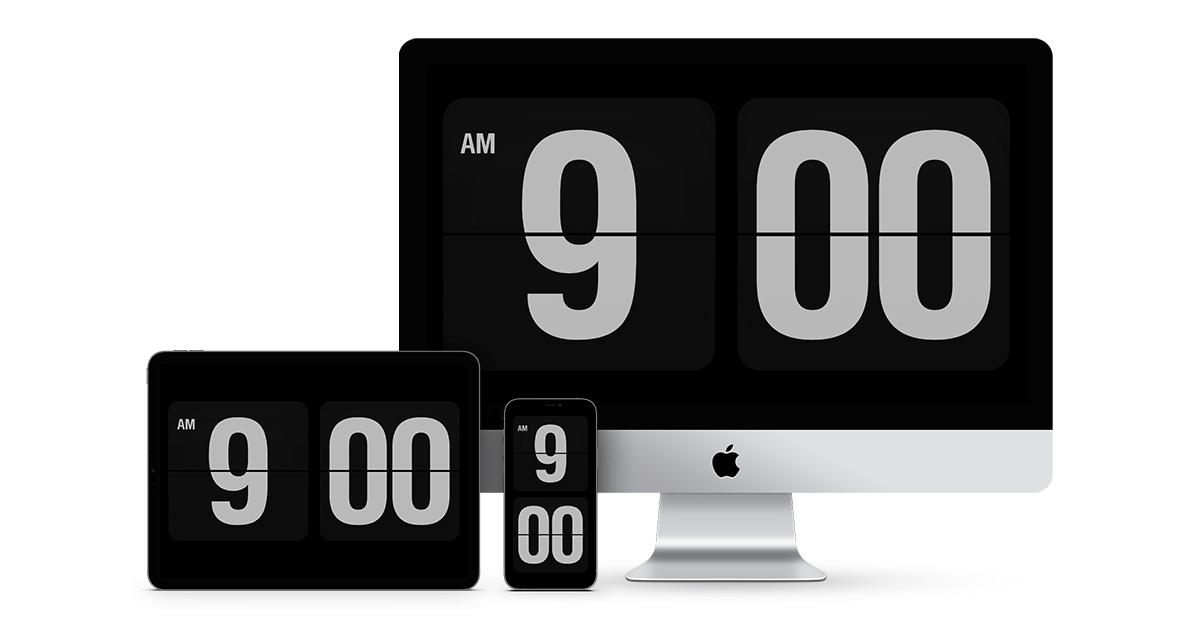
Fliqlo is a 24-year-old screensaver. Yuji Adachi released the macOS version in 2002 and added the Windows port soon after, and most people who use it have never really updated it. The pitch is famously simple: big white flip-clock digits on a black background, visible from across the room. It still does that job. The trouble is what Fliqlo cannot do in 2026, there is no clock face customization beyond 12 vs 24 hour, no theming, no date display, and the Windows installer requires admin rights for screensaver registration. People searching for Fliqlo alternatives usually want a flip clock that fits their workflow better, or a different shape of minimalist clock screensaver entirely.
We tested seven Fliqlo alternatives for macOS and Windows in 2026.
Quick comparison
| App | Best for | Price | Platforms |
|---|---|---|---|
| Padbury Clock | Minimalist macOS flip clock | Free / freemium | macOS |
| Aerial | Apple TV-style ambient | Free, open source | macOS, Windows |
| Word Clock Screensaver | Text-based clock | Free | macOS, Windows |
| Polar Clock | Circular analog clock | Free | macOS, Windows |
| ClockSaver | Tweakable clock module | Free | macOS |
| XScreenSaver | Classic screensaver library | Free, open source | Windows, macOS, Linux |
| Dropclock | Cinematic flip clock | Paid trial | Windows, macOS |
Why Fliqlo users start looking around
The complaints are not new. Fliqlo on Windows occasionally fails to register as the active screensaver after a Windows update, and the fix (re-install with admin rights) is well known but irritating. The macOS version is more stable but has not visibly changed in years.
The single biggest gap is customization. Fliqlo lets you flip between 12 and 24 hour and adjust brightness, and that is the whole config screen. People want a different font, a seconds field, a date line, a colour, an analog face, none of which Fliqlo offers. The alternatives below cover those shapes.
The iOS app version is paid and lives in a different ecosystem. Some people assume the desktop screensaver is paid too because of that, when the desktop release is free.
Padbury Clock
A minimalist macOS flip-clock screensaver in the same lineage as Fliqlo, with a slightly more refined typography and a freemium add-on for colour themes. The most direct Fliqlo replacement on Mac if you want the same idea but a touch fresher.
Where it falls short: macOS only. Colour themes are paywalled in the Plus tier.
Pricing: Free base, Plus tier ~$3.
Vs Fliqlo: Same shape, newer build. Padbury wins on typography polish.
Download: padburyclock.com
Aerial
The open-source port of Apple TV’s aerial screensaver, slow drone footage of cities, oceans, mountains, with optional time overlay. Not a flip clock at all, but the most-recommended modern screensaver for users who want their idle screen to be calm rather than informational.
Where it falls short: Video files are large (multi-GB cache). Time overlay is small relative to Fliqlo’s giant digits.
Pricing: Free, open source.
Vs Fliqlo: Completely different vibe. Pick Aerial if you wanted ambient, not informational.
Download: github.com/JohnCoates/Aerial (macOS) · github.com/cDima/Aerial (Windows port)
Word Clock Screensaver
Displays the time as words (“ten past three”) in giant typography. The closest minimalist clock screensaver to Fliqlo in spirit, large, readable across the room, no chrome.
Where it falls short: Aesthetic-only. No customization beyond language. Not as legible at a glance as digits.
Pricing: Free.
Vs Fliqlo: Different style of minimalist. Word Clock is more design-conscious; Fliqlo is more readable.
Download: simonheys.com/wordclock
Polar Clock
A circular, analog-style clock screensaver that shows hours, minutes, seconds, and the date as concentric rings. The visual opposite of Fliqlo’s blocky digits.
Where it falls short: Old project, newer macOS versions need a kludge to install the screensaver. Some color combinations are hard to read at a distance.
Pricing: Free.
Vs Fliqlo: Different aesthetic, same problem space. Choose by which look you actually like.
Download: pixelbreaker.com/polarclock (or the active macOS port via the screensavers community)
ClockSaver
A macOS-only screensaver with tweakable analog and digital modules. The right pick if you want fine control, face style, fonts, dial colour, seconds-hand visibility, that Fliqlo simply does not offer.
Where it falls short: macOS only. Configuration UI is dense for a screensaver module.
Pricing: Free.
Vs Fliqlo: ClockSaver is the tweaker’s choice; Fliqlo is the no-config classic.
Download: github.com/soffes/ClockSaver
XScreenSaver
The veteran open-source screensaver library, ported to Windows and macOS. Bundles two hundred plus modules, including several digital and analog clocks, and runs the same on all three desktop OSes. The right pick if you want one screensaver platform across every machine you own.
Where it falls short: macOS port lags the Linux original. Not all modules are clocks.
Pricing: Free, open source.
Vs Fliqlo: XScreenSaver is a library, not a single screensaver. You can find a flip clock module inside it, but Fliqlo’s polish is higher for the specific format.
Download: jwz.org/xscreensaver
Dropclock
A cinematic, slow-motion flip clock with falling-numerals animation. The closest Fliqlo alternative in shape, with a more theatrical feel.
Where it falls short: Paid after the trial. The slow animation is divisive, some people love it, others find it distracting.
Pricing: Paid one-time license; demo available.
Vs Fliqlo: Dropclock is the moody, cinematic cousin. Fliqlo is the no-fuss original.
Download: pixelbreaker.com/dropclock
How to choose
Pick Padbury Clock if you are on macOS and want the same flip-clock idea with cleaner typography.
Pick Aerial if you actually wanted an ambient screensaver, not a flip clock. It is the calmest screen you can leave running.
Pick ClockSaver if you want a clock screensaver that lets you tweak everything.
Pick XScreenSaver if you want one screensaver platform across Windows, macOS, and Linux.
Pick Dropclock if Fliqlo’s static digits are the only thing missing some drama.
Stay on Fliqlo if the 24-year-old design is exactly what hooked you. There is a reason it has not changed: it works.
FAQ
Is Fliqlo still free in 2026?
The desktop screensaver for macOS and Windows is free. The mobile app version on iOS is paid.
Does Fliqlo work on Windows 11?
Yes. The installer needs admin rights to register as a screensaver, which trips up some users. It runs the same on Windows 10 and 11.
What is the closest free Fliqlo alternative?
Padbury Clock on macOS for the same flip-clock idea. XScreenSaver if you want cross-platform consistency with multiple clock options.
Are screensavers still useful in 2026?
For OLED panels, an ambient or moving screensaver reduces burn-in risk on long idle periods. For LCDs, it is mostly aesthetic.
Can I run Fliqlo as a desktop background instead of a screensaver?
Not natively, no. Tools like Lively Wallpaper can run a video version of a flip clock as a wallpaper, which is a related but different setup.

