
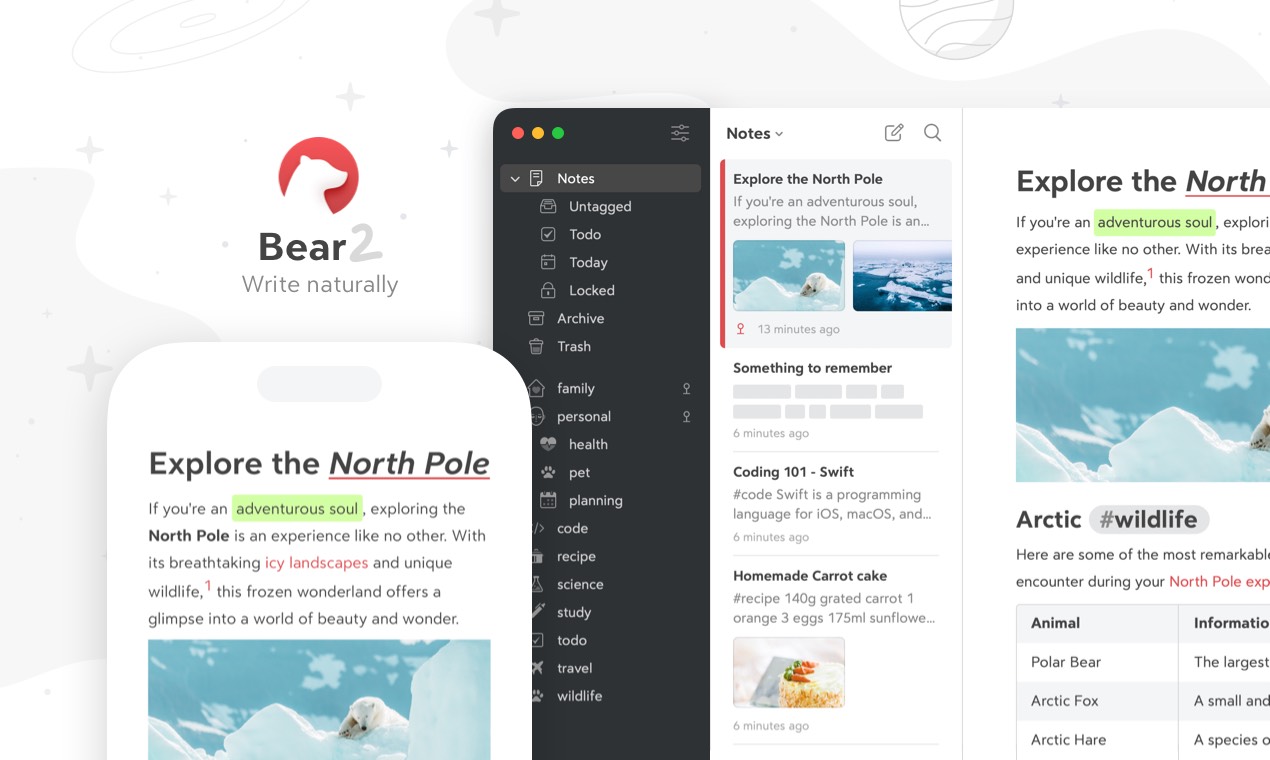
XDA spent a long piece praising the “underrated note-taking app” that solved what Notion and OneNote could not, framing it around minimalism and getting out of the way. Bear users have run that pitch for years. The trouble is Bear’s biggest gap (no native Windows client, no Linux, and a slow web release) keeps coming up in the r/Bearapp and Mastodon threads. We tested seven Bear alternatives across macOS and Windows to find the ones that hold the same plain-text feel.
Quick comparison
| App | Best for | Free plan | Starting price | Standout feature |
|---|---|---|---|---|
| Apple Notes | Built-in iCloud sync | Yes | Free | Tight Apple ecosystem |
| Obsidian | Local markdown vault | Yes | $10/mo Sync | Plugin and graph view |
| iA Writer | Distraction-free markdown | Trial | $49.99 one-time | Hashtag-friendly minimal UI |
| Drafts | Capture-first note triage | Yes | $19.99/year | Action-script automation |
| Craft | Block-styled long-form writing | Yes | $5/mo | Polished export to PDF |
| NotePlan | Markdown plus calendar | 14-day trial | $9.99/mo | Daily-note plus tasks |
| Ulysses | Long-form writer’s library | 14-day trial | $5.99/mo | Sheet-based project view |
Why Bear users are looking around
The pattern from r/Bearapp, Mastodon, and Apple-focused YouTube:
- No native Windows or Linux client. Web app released slower than promised
- Pro subscription is reasonable but adds friction over Apple Notes
- Beta releases of Bear 2 stretched longer than expected
- Tag-based organisation is sticky but harder to share with collaborators
- Export to PDF and Word from long documents is fiddlier than Ulysses
Each pick below addresses one of those friction points.
The 7 best Bear alternatives
Apple Notes, the default-everywhere pick
Apple Notes has caught up to Bear on most metrics in 2026. Smart folders, tags, the highlight tool, the formula-aware tables, and Quick Note from any app or Mac corner are all there. iCloud sync is the smoothest cross-Apple experience.
Where it falls short: no markdown shortcuts. Not available on Windows or Android.
Pricing: free with any Apple ID. iCloud+ at $0.99/mo for 50 GB if you fill the free tier.
vs Bear: more polished, more integrated, no subscription. Tag handling is good but not equal to Bear’s hierarchical tags.
Migrating from Bear: Bear can export notes as plain text or markdown per note. Apple Notes accepts plain text imports per file. Tags transfer as inline #tag strings.
Download: apple.com/apple-notes
Bottom line: the default Apple users should check first before paying for a new app.
Obsidian, the local-markdown pick
Obsidian stores everything as markdown on disk. Cross-platform on macOS, Windows, Linux, iPad, and mobile. The plugin ecosystem (Templater, Dataview, Bases) closes most of the gaps Bear users notice when they switch.
Where it falls short: more configuration than Bear. The default look needs theming to feel as clean as Bear.
Pricing: Free for personal use. Sync is $4/month annual. Publish is $8/month annual. Commercial use is $50/user/year.
vs Bear: open file format, fully cross-platform, free at the entry tier. Less elegant out of the box.
Migrating from Bear: export Bear notes as .md. Drop the folder into an Obsidian vault. Inline #tags work natively.
Download: obsidian.md
Bottom line: the pick if vendor lock-in is the part of Bear that bothers you.
iA Writer, the distraction-free pick
iA Writer is the markdown editor with the cleanest writing surface in this category. Focus mode dims everything but the current sentence, syntax highlighting tracks adjectives and adverbs, and Hashtags act as a soft library structure.
Where it falls short: thinner organisation than Bear or Obsidian. Designed for writing first, archiving second.
Pricing: Mac at $49.99 one-time. Windows at $29.99. iOS and Android at $19.99 each. 14-day trial.
vs Bear: stronger writer’s surface and one-time pricing. Less of a knowledge base.
Migrating from Bear: drop Bear’s markdown export into iA Writer’s library folder. Hashtag-based search works natively.
Download: ia.net/writer
Bottom line: the pick if you do most of your Bear time in long blocks of writing.
Drafts, the capture-first pick
Drafts is the iOS-first text app built around the idea that every note starts as a draft, then becomes something else (markdown note, email, Slack message, Bear note). The action-script library is the largest in this category and the Apple Watch and Shortcuts integration is the deepest.
Where it falls short: is not a long-term library tool. Drafts older than a week need to be moved somewhere else.
Pricing: free with limited actions and themes. Pro at $1.99/month or $19.99/year.
vs Bear: faster capture and stronger automation. Weaker long-form note library.
Migrating from Bear: Drafts is designed to feed other apps. Keep Bear as a library, switch capture to Drafts.
Download: getdrafts.com
Bottom line: the pick if Bear’s slow-cold-start on iPhone is what frustrates you.
Craft, the long-form pick
Craft is the Apple-ecosystem block-based writing app that aims at polished output. Documents export to PDF and Word cleanly, the share links look professional, and the daily note plus task view is closer to a unified workspace than Bear is.
Where it falls short: block editor pulls some markdown users back toward Bear. iOS app is fast, Android app is newer.
Pricing: free for personal use with limits. Personal Pro is $4.99/month annual, Business at $8/seat.
vs Bear: stronger document polish and team sharing. Less of a Bear-style markdown vault.
Migrating from Bear: Craft accepts markdown import per document. Tags convert manually.
Download: craft.do
Bottom line: the pick if your Bear notes are mostly client-facing documents and reports.
NotePlan, the calendar-aware pick
NotePlan combines markdown notes with a daily calendar view, so meeting notes, daily plans, and project documents live in one place. The Apple Calendar integration pulls events into the daily note automatically. The Mac app is faster than the iOS app.
Where it falls short: weaker general note organisation than Bear. Pricing on the higher end for what it does.
Pricing: 14-day trial. $9.99/month or $99/year.
vs Bear: stronger calendar and tasks. Smaller note library feel.
Migrating from Bear: NotePlan reads markdown files directly. Point it at the folder where you exported Bear.
Download: noteplan.co
Bottom line: the pick if you use Bear notes to plan days as much as write them.
Ulysses, the writers' pick
Ulysses is the long-form writing app that publishes to WordPress, Ghost, Medium, and direct PDF or ePub. The library is sheet-based with a strong tag and keyword system. The 2026 release added a markdown export refresh.
Where it falls short: subscription pricing keeps moving up. Less suited to short capture than Bear or Drafts.
Pricing: 14-day trial. $5.99/month or $39.99/year.
vs Bear: stronger publishing pipeline. Less of a quick-capture note app.
Migrating from Bear: export Bear sheets as markdown, import into Ulysses library. Tags carry over.
Download: ulysses.app
Bottom line: the pick if Bear is where you draft articles and you want a stronger publishing path.
How to choose
- Want a free Bear replacement that stays Apple-only: Apple Notes
- Want a free Bear replacement that works on Windows and Linux: Obsidian
- Want the cleanest writing surface: iA Writer or Ulysses
- Want capture-first speed: Drafts
- Want polished documents and team sharing: Craft
- Want calendar-aware notes: NotePlan
- Stay on Bear if Bear 2’s hierarchical tags and inline images are what you actually use day to day.
FAQ
Is Bear better than Apple Notes? Bear is better at markdown editing, hierarchical tags, and writer-focused themes. Apple Notes is better at Apple ecosystem integration, table editing, and shared notes with family.
Can I use Bear on Windows? Bear has a web app and an early Windows release as of 2026, but neither is at parity with the Mac client. Obsidian, iA Writer, and Ulysses all have stronger Windows versions.
Which Bear alternative is free? Apple Notes (built-in), Obsidian (personal use), and Drafts (free tier) are the most usable free options. Logseq is another free outliner option.
Does Bear sync with iCloud? Yes, Bear uses CloudKit for cross-device sync, which is gated behind the Bear Pro subscription. Apple Notes uses iCloud directly with no extra subscription.
What is the underrated note app XDA mentioned? The XDA piece does not name a single app. Capacities, Obsidian, and Bear all show up as readers’ answers in the comments. The “underrated” framing fits any of the markdown-first apps in this list.

