
Discord’s arrival on Meta Quest is a small story with a big signal: the crowd that used to meet on Discord voice channels is spending more of the evening in VR. Some are watching a film together in Bigscreen, some are teaching a VRChat world, some are hosting a table for a friend’s birthday in Rec Room. What every one of these needs is a real desktop rig on the other end, because standalone Quest apps still cannot match the polish of a PC-VR session with Windows-side software behind it.
We tested seven VR social hangout apps for Windows-driven headsets (Meta Quest via Link and Air Link, Valve Index, HTC Vive, Pico 4). Each covers a slightly different social niche, from open-world worlds to structured events to virtual cinemas.
What to look for
- Cross-headset play. Meta Quest standalone users should be able to join the same room as Steam VR users on a Windows PC.
- Voice quality. Spatial audio, lip sync, and low latency separate a real hangout from a Discord call with skins.
- World tools. Whether the app is a sandbox for user-created worlds or a walled garden of official spaces.
- Moderation. VR harassment is a real problem. Look for personal-space bubbles, safe zones, and mute-per-user tools.
- Non-VR client. Being able to drop in from a desktop when the headset battery dies is a huge quality-of-life feature.
Quick comparison
| App | Best for | Platforms | Free plan | Cost | Rating |
|---|---|---|---|---|---|
| VRChat | Open sandbox worlds | SteamVR, Quest, PC desktop | Yes | Free with optional VRC+ subscription | Very high |
| Rec Room | Casual multiplayer minigames | SteamVR, Quest, PS5, mobile, PC desktop | Yes | Free with in-app purchases | High |
| Horizon Worlds | Meta’s official social world | Quest, mobile, web | Yes | Free | Mid |
| Bigscreen VR | Watching films and TV together | SteamVR, Quest | Yes | Free with paid Bigscreen Beyond cinema | High |
| ENGAGE | Meetings and events | SteamVR, Quest, PC desktop | Trial | Around a mid to high monthly fee | High |
| Discord VR | Voice chat inside VR | Quest | Yes | Free | High |
| Cluster | Japan-oriented events and idol shows | SteamVR, Quest, PC desktop, mobile | Yes | Free | Mid |
The apps
1. VRChat — Best for open sandbox worlds
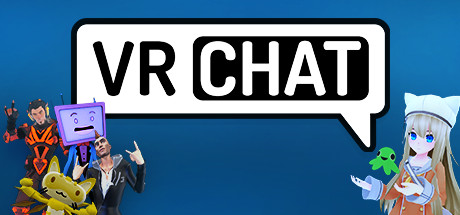
VRChat is still the biggest and strangest social VR platform. Anyone can build a world with the Unity SDK, and there are hundreds of thousands of them: convention halls, escape rooms, jazz clubs, giant physics playgrounds. Full-body tracking, custom avatars, and lip sync all work on both PC-VR and Quest.
Where it falls short: Onboarding is intimidating. Public worlds vary wildly in quality and can be intense for newcomers.
Pricing:
- Free: Full experience.
- Paid: VRC+ subscription unlocks avatar favouriting slots and priority login for a low monthly fee.
Platforms: SteamVR (Windows), Meta Quest, PC desktop (non-VR).
Download: VRChat
Bottom line: The default answer for VR socialising. If any of your friends are in VR, they are in VRChat.
2. Rec Room — Best for casual multiplayer minigames
Rec Room is closer to a Nintendo Wii sports bar than a chat app. Paintball, laser tag, disc golf, cooperative dungeons, and paint-with-friends rooms are the reason people keep coming back. The Room Studio lets you build your own hangouts without Unity knowledge.
Where it falls short: Skews younger. Voice moderation is aggressive by default and sometimes gates real conversation.
Pricing:
- Free: Full game access.
- Paid: In-app purchases for cosmetics and Room Pass memberships.
Platforms: SteamVR (Windows), Meta Quest, PS5, mobile, PC desktop.
Download: Rec Room
Bottom line: The right pick for casual group play with the widest cross-platform audience.
3. Horizon Worlds — Best for Meta’s official social world
Horizon Worlds is Meta’s answer to VRChat, tightly integrated with Meta accounts. It has improved since launch, with new event tools and a growing catalogue of user-made worlds, and it opened a mobile and web client that lets non-VR friends drop in.
Where it falls short: Locked to Meta accounts. World-building tools are simpler than VRChat’s, which caps ceiling on creator-made spaces.
Pricing: Free.
Platforms: Meta Quest, mobile, web.
Download: Horizon Worlds
Bottom line: For Meta Quest owners whose social group is already on Facebook and Instagram, this is the shortest path.
4. Bigscreen VR — Best for watching films and TV together
Bigscreen VR turns any streaming service, Blu-ray, or local file into a shared cinema screen with up to a dozen friends. The private-room feature lets you invite a specific group, and the official cinema now shows first-run films through paid partners.
Where it falls short: Local streaming from a PC requires the desktop client and a hardwired connection for good bitrates.
Pricing:
- Free: Public rooms and personal-screen mode.
- Paid: Cinema tickets bought per film.
Platforms: SteamVR (Windows), Meta Quest.
Download: Bigscreen
Bottom line: The best “watch a movie with a friend across the country” experience in VR.
5. ENGAGE — Best for meetings and events
ENGAGE is a business-first social VR app for classroom sessions, product demos, and virtual conferences. Rooms scale up to hundreds of avatars with proper voice zones, and there is a slide-deck tool and a whiteboard designed for lectures.
Where it falls short: Not a casual hangout. The polish is aimed at teams paying for a seat license.
Pricing:
- Free: Trial only.
- Paid: Personal tier for a mid monthly fee, business tiers scale up.
Platforms: SteamVR (Windows), Meta Quest, PC desktop.
Download: ENGAGE
Bottom line: For anyone running virtual events, this beats Zoom by a wide margin.
6. Discord VR
Discord VR is not a hangout world of its own; it is Discord’s voice chat with a native Quest interface, so you can stay in a VR game and still be in your usual Discord voice channel without hopping between apps. Overlays let you see who is speaking without leaving the game world.
Where it falls short: Not a social space in itself. You need another app to actually hang out in.
Pricing: Free.
Platforms: Meta Quest.
Download: Discord (installed via Quest Store)
Bottom line: Install it alongside every other app on this list. It fixes the “voice channel while I game” problem.
7. Cluster — Best for Japan-oriented events and idol shows
Cluster is Japan’s most popular VR social platform, built for live idol concerts, VTuber meet-ups, and community events. Rooms scale to thousands of avatars for concerts, and the platform has partnerships with major Japanese entertainment companies.
Where it falls short: Content and UI are Japanese-first. English localisation exists but is thinner.
Pricing: Free with paid concert tickets.
Platforms: SteamVR (Windows), Meta Quest, PC desktop, mobile.
Download: Cluster
Bottom line: The pick if you want to attend a VTuber concert or Japanese VR event.
How to pick the right one
Start with VRChat if you want variety and creator-driven worlds. Pick Rec Room if you want casual game nights with friends who own PS5s or phones. Choose Horizon Worlds only if everyone in your group is on Meta Quest. Grab Bigscreen for movie nights, and ENGAGE for anything work-adjacent. Install Discord’s VR client alongside anything else. Cluster is for a specific cultural niche and is worth exploring if you follow VTubers. Skip the paid tiers on VRChat and Rec Room unless you actively use the features.
FAQ
Do I need a Windows PC to use these VR apps? For the best experience, yes. Meta Quest standalone works for all of them, but a Windows PC over Link or Air Link unlocks higher frame rates, custom avatars, and better rendering.
Which VR social app has the largest active community? VRChat by a wide margin, followed by Rec Room. Horizon Worlds is growing but smaller.
Can I use these without a VR headset? VRChat, Rec Room, ENGAGE, Cluster, and Horizon Worlds all have desktop or mobile clients that let you join as a “screen mode” user. It is less immersive but it works.
Is Discord on Meta Quest the same Discord I use on my phone? Yes. Same account, same servers, same voice channels. The Quest app adds a spatial-audio overlay so you can hear who is talking while you play a game.


