Online multiplayer on a phone can go wrong quickly. Strangers slide into voice channels, chat scams target younger accounts, and moderation queues stretch for hours. Roblox tightened its reporting system in mid-2026 with faster action alerts, and that update is a useful lens for parents evaluating the whole category. We spent a few weeks testing safer online multiplayer games on Android and iOS to see which titles actually shipped credible controls, and which relied on the honor system. This guide covers seven picks that pair real online play with chat filters, invite-only lobbies, or an outright no-chat design. Every app here runs on both Android and iOS, so a mixed-device household can play together without one kid stuck on a lesser build.
What to look for
Not every “family friendly” label holds up under load. Here is what we prioritized while comparing the field.
- Chat controls. Can voice be turned off per session, or only per account? Is text chat filtered by dictionary or by machine model?
- Account linkage. Does a parent account approve friends, purchases, and screen time from a separate device?
- Reporting flow. How long between a report and an action alert, and does the reporter get told what happened?
- Server type. Public matchmaking versus invite-only realms is the single biggest safety lever, especially for kids under ten.
- Ad exposure. Free games often lean on ad networks that serve teen-rated promos. We penalized any app whose ads leaked into younger age settings.
- Offline fallback. A solid single-player mode still matters on flights and at bedtime.
Quick comparison
| App | Best for | Platforms | Free plan | Starting price/mo | Rating |
|---|---|---|---|---|---|
| Roblox | Overall pick with updated reporting | Android, iOS | Yes | Optional Premium | 4.4 |
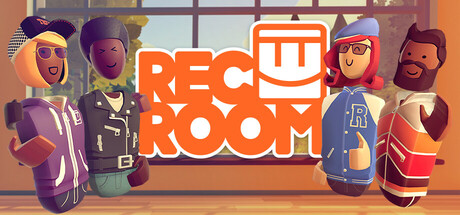
| Rec Room | Free social lobbies with voice toggles | Android, iOS | Yes | Optional sub | 4.2 |
| Play Together | Kid-first avatar sandbox | Android, iOS | Yes | IAPs only | 4.4 |
| Minecraft | Invite-only Realms for families | Android, iOS | No (trial only) | One-time + Realms | 4.5 |
| Animal Jam - Play Wild | Dictionary-filtered chat | Android, iOS | Yes | Optional membership | 4.3 |
| Toca Life World | Zero chat, under-eight players | Android, iOS | Yes | One-time packs | 4.4 |
| Prodigy Math | Educational MMO with restricted chat | Android, iOS | Yes | Optional Premium | 4.5 |
The apps
1. Roblox: best for overall safer multiplayer play
Roblox is the default answer when a kid asks about online multiplayer, and the 2026 reporting update is what nudged it to the top of this list. The new system pushes an action alert back to the person who filed a report, which closes a loop that used to feel invisible. Chat filters run by age band, and the account PIN plus parent-controlled spending stops most surprise Robux charges.
Where it falls short: Public servers still mix strangers, so younger accounts should stick to friend-only experiences and keep voice disabled.
Pricing:
- Free: Full access, with Robux only for cosmetics and passes
- Paid: Optional Premium subscription for a monthly Robux allowance and trade access
Platforms: Android, iOS, Xbox, Windows, macOS Download: Google Play · App Store · Aptoide Bottom line: The new action alerts and stricter age-band chat make Roblox meaningfully safer than it was a year ago, especially for kids under thirteen.
2. Rec Room: best for free social lobbies with voice control
Rec Room runs cross-play across phones, headsets, and consoles, and its moderation team is one of the more visible in mobile multiplayer. Voice chat can be muted per room, junior accounts route into age-gated lobbies by default, and reporting a player triggers a review that usually closes within a day.
Where it falls short: The interface leans toward older kids and teens; the youngest players may bounce off the room-building complexity.
Pricing:
- Free: Full multiplayer and room creation
- Paid: Optional Rec Room+ subscription for token drops and cosmetics
Platforms: Android, iOS, PlayStation, Xbox, Windows, Meta Quest Download: Google Play · App Store Bottom line: A well-moderated free option that scales from casual party games to full room design, with voice controls parents can actually find.
3. Play Together: best for kid-first avatar socializing
Play Together sets up like a virtual playground, dropping avatars into shared parks, cafes, and schools. Text chat runs through a profanity filter, and the touch-first controls read easily for players who cannot yet type quickly. There is no voice channel at all, which removes an entire attack surface.
Where it falls short: The store leans heavily into gacha-style cosmetic pulls, so parents should turn on device-level purchase locks.
Pricing:
- Free: Full multiplayer, most locations, and daily missions
- Paid: In-app purchases for outfits, pets, and gems
Platforms: Android, iOS Download: Google Play · App Store Bottom line: A friendly avatar sandbox that trades voice chat for filtered text, which suits kids in the seven-to-eleven bracket.
4. Minecraft: best for invite-only Realms
Minecraft on mobile is a paid one-time purchase, but the safety win here is Realms. A Realm is an invite-only server the parent pays for, controls the whitelist for, and can pause any time. That removes public matchmaking from the equation entirely, so kids only ever play with people the household already knows.
Where it falls short: The upfront cost plus Realms subscription adds up, and running a Realm still requires a parent to manage invites.
Pricing:
- Free: 30-day Realms trial with any Xbox account
- Paid: One-time app purchase, plus a monthly Realms subscription for the private server
Platforms: Android, iOS, Windows, Xbox, PlayStation, Nintendo Switch Download: Google Play · App Store Bottom line: The invite-only Realms model is the cleanest way to give a child real multiplayer without exposing them to a public server.
5. Animal Jam - Play Wild: best for dictionary-filtered chat
Animal Jam Play Wild is built for a younger reading level, and its dictionary chat is the safety anchor. Kids pick from an approved word list rather than typing freely, which keeps conversations bounded. The parent dashboard covers membership, buddy requests, and time limits from a separate device.
Where it falls short: The dictionary chat can feel restrictive to older kids, and the membership gates a large chunk of the world.
Pricing:
- Free: Access to core zones, daily activities, and non-member items
- Paid: Optional membership for full world access and rare items
Platforms: Android, iOS, Windows, macOS Download: Google Play · App Store Bottom line: A rare mobile MMO that solves chat safety by making free-form typing impossible in the first place.
6. Toca Life World: best for players under eight
Toca Life World is social-adjacent rather than fully live, and that is exactly why it earns a spot here. Kids can share creations and stories, but there is no live chat, no matchmaking, and no way for a stranger to message them. For families whose main worry is unsolicited contact, Toca sidesteps the problem by removing the mechanism.
Where it falls short: True real-time multiplayer is not the point, so kids looking for live play with friends will need a second app alongside it.
Pricing:
- Free: The core app with a starter set of locations and characters
- Paid: Optional one-time expansion packs for new districts, pets, and outfits
Platforms: Android, iOS Download: Google Play · App Store Bottom line: The safest pick in the list, because there is nothing for a stranger to send. A good fit for kids under eight.
7. Prodigy Math: best for parents who want screen time to earn something
Prodigy Math is an educational MMO where combat resolves through math problems, which is a strange enough angle to land last on this list. Chat is restricted to a preset phrase menu, class codes gate most social features behind teacher approval, and a parent account tracks skills alongside play time.
Where it falls short: The Premium pitch is persistent, and the math loop can feel repetitive without a teacher assigning topics.
Pricing:
- Free: Full curriculum access, quests, and battles
- Paid: Optional Premium plan for extra rewards and progress dashboards
Platforms: Android, iOS, Windows, macOS, web Download: Google Play Bottom line: A useful bridge between game time and homework, with chat baked in as a phrase menu instead of a free keyboard.
How to pick the right one
The list splits neatly by age and by how much chat exposure a household is willing to accept.
- If your child is under eight: Start with Toca Life World. There is no live chat, so there is no stranger risk. Add Prodigy Math if you want the session to double as skills practice.
- If your child is seven to eleven and reads well: Animal Jam Play Wild plus Play Together covers most of what a kid this age asks for, with dictionary chat and filtered text respectively.
- If your child is eleven or older: Roblox with age-band chat on and voice off is the default. Rec Room fills the social-play gap without a subscription, and its voice mute is easy to reach.
- If you want zero public matchmaking: Minecraft Realms is the cleanest answer. Pay for a private server, whitelist the guests, and the entire public layer disappears.
- If cost is the main constraint: Roblox, Rec Room, Play Together, Animal Jam base tier, and Prodigy free tier all give a real multiplayer session at no cost, though every one of them will surface a subscription pitch.
- If you want the fewest ads: Minecraft and Toca Life World are paid, which means no ad networks pushing outside promos into a kids’ session.
Frequently asked questions
Are online multiplayer games ever really safe for kids?
No app can promise perfect safety, but the combination of moderated servers, chat controls, and parent-account oversight closes most of the common failure modes. The picks in this list all ship at least two of those three layers. The remaining risk is behavioral, which is why we still recommend playing in the same room for the first few sessions.
Which app is safest for a seven-year-old?
Toca Life World, because it removes live chat entirely. If you want a real online session, Animal Jam Play Wild with dictionary chat and a parent-linked account is the next step up. Both work on Android and iOS with the same account.
How does Roblox’s new reporting system work?
Roblox now sends action alerts back to the person who filed a report, so families can see whether a case led to a warning, mute, or ban. It does not name the punished player, but it does confirm that the report was reviewed. This closed loop is what earned Roblox a spot on a safer-multiplayer list rather than an alternatives list.
Do any of these games require voice chat?
None of them require voice chat to play. Rec Room and Roblox both ship voice, but each can be muted at the account level. Toca Life World, Animal Jam, Prodigy, and Play Together do not include voice at all.
What is the difference between Realms and public Minecraft servers?
A Realm is a private server whose access list you control from the parent Xbox account. Public servers, including the featured ones inside the Minecraft app, mix in strangers by design. Realms costs a small monthly fee but converts Minecraft from a mixed-crowd game into a friends-only one.
Is Aptoide a safe way to install any of these games?
Aptoide is a store, so the safety question is really about the specific listing. For mainstream titles like Roblox, cross-check that the store you install from is an official developer store or a well-known aggregator. Google Play and the App Store remain the default paths for a kid’s device.