
Fireworks look great in the sky and terrible on the roll. The stock iPhone Camera picks a shutter speed made for street scenes, mashes the highlights, then buries the result in HDR that turns the sky slate grey. The fix is not a lens, it is a camera app that lets a photographer choose the shutter speed, lock the focus at infinity, and shoot RAW so the highlights come back in editing. These seven best apps for iPhone fireworks photography cover the full range from free long-exposure toys to paid pro-camera apps that treat the phone like a rangefinder.
The picks were tested on a mix of recent iPhones during a summer of local displays. Each app got the same routine: tripod, manual focus at infinity, ISO fixed, shutter tuned by hand. The notes below reflect what actually worked, not what the App Store screenshot promised.
What to look for in a fireworks camera app
The apps that survive the display are the ones with these features:
- Manual shutter speed to at least 2 seconds, ideally 8 seconds or longer.
- Locked manual focus with a numeric distance readout, so infinity stays put between shots.
- RAW / ProRAW capture, so the sky is salvageable in Lightroom afterwards.
- A stable long-exposure mode that stacks frames without introducing bloom on the light trails.
- An interval timer or burst mode, so a whole finale can be captured hands-free.
- A histogram, because the phone’s screen lies about exposure in the dark.
Quick comparison
| App | Best for | Platforms | Free plan | Starting price | Rating |
|---|---|---|---|---|---|
| Halide | RAW capture with manual control | iOS | Trial only | Subscription or one-time purchase | 4.7 |
| ProCamera | Long exposure with pro depth | iOS | Trial | One-time purchase | 4.5 |
| Camera+ 2 | Manual controls without the learning curve | iOS | Trial | Subscription or one-time purchase | 4.6 |
| Slow Shutter Cam | Purpose-built light trails | iOS | Paid | One-time purchase | 4.7 |
| Spectre Camera | AI-assisted long exposure | iOS | Trial | One-time purchase | 4.5 |
| NightCap Camera | Sky and light-trail modes | iOS | Paid | One-time purchase | 4.6 |
| Blackmagic Camera | Video-first shooters | iOS | Free | Free | 4.6 |
1. Halide — Best for RAW capture with manual control
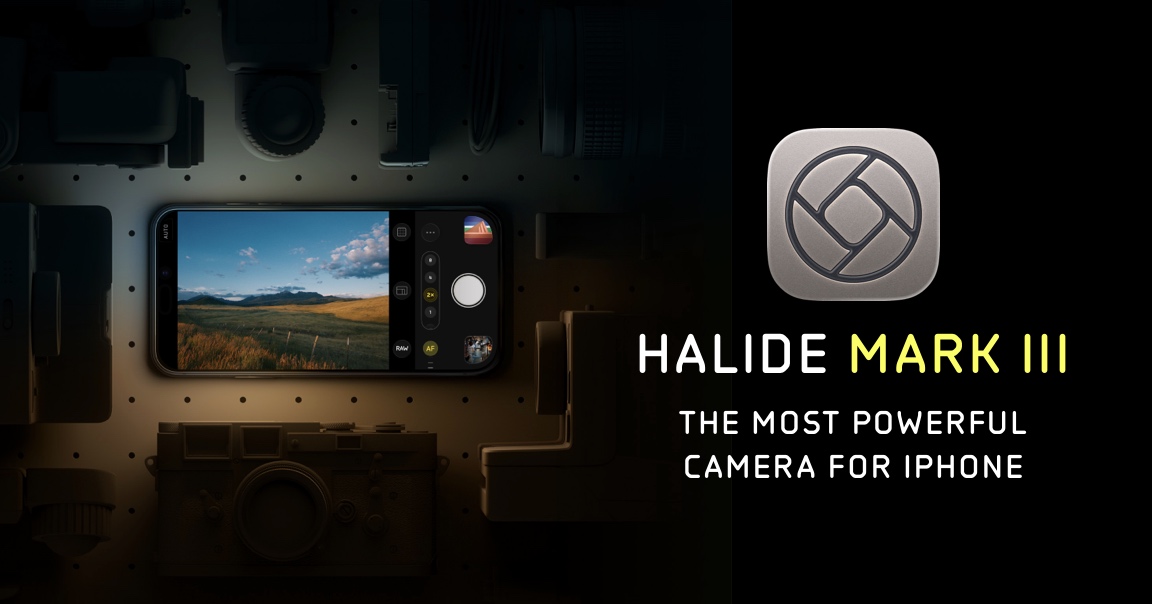
Halide is the reference manual camera app for iPhone. Focus peaking, a numeric focus dial that goes to infinity, RAW and ProRAW output, and a shutter that can be locked wide open for fireworks work. The interface is thumb-friendly on a tripod-mounted phone, and the RAW files edit cleanly in Lightroom or Halide’s own editor.
Where it falls short: long exposure is done via multi-frame capture in a dedicated mode, not a true single-shutter bulb. For dense finales that is a plus; for a single arc across the sky, a purpose-built long-exposure app is closer to what a DSLR would do.
Pricing:
- Free trial with limited use.
- Subscription or one-time Halide Pro purchase.
Platforms: iOS
Download: halide.cam
Bottom line: the app to install first if RAW is on the table. Halide gets the exposure right and the file survives editing.
2. ProCamera — Best for pro-depth long exposure
ProCamera ships a long-exposure mode with three flavours (light trail, motion blur, low light), each of which shines for a different fireworks look. The main capture mode gives full manual control, ISO priority, shutter priority, and TIFF or DNG output.
Where it falls short: the interface has more knobs than Halide’s, so first-time use takes longer.
Pricing:
- Free trial period.
- One-time purchase, with an optional in-app add-on for HDR.
Platforms: iOS
Download: procamera-app.com
Bottom line: the strongest pick when a single frame should capture a whole arc of light.
3. Camera+ 2 — Best for manual without the learning curve
Camera+ 2 aims for the middle: full manual controls in a UI that keeps the tripod-user’s thumb over the shutter, and a “Slow Shutter” mode for exposures up to 30 seconds. RAW is supported on iPhones that offer it.
Where it falls short: the editor bundled in is fine, not great. Photographers who edit elsewhere pay for a workflow they will not use.
Pricing:
- Free trial.
- Subscription or lifetime purchase.
Platforms: iOS
Download: camera.plus
Bottom line: the beginner-friendly option that still gets the exposure right.
4. Slow Shutter Cam — Best for a single specialised task
Slow Shutter Cam does one job: long exposures. Bulb mode, light trail mode, motion blur mode. It has been around long enough that the presets know what to do with a fireworks display, and the app is small enough to keep on a phone for the summer.
Where it falls short: no RAW. Files are JPEGs, and the results depend on getting the exposure right in-camera.
Pricing:
- Paid one-time purchase.
Platforms: iOS
Download: cogitap.com/slowshutter
Bottom line: pick this as a companion to Halide for the frames where light trails are the whole point.
5. Spectre Camera — Best AI-assisted long exposure
Spectre Camera is Halide’s sibling: a purpose-built long exposure camera that uses machine learning to stitch frames, stabilise handheld shots, and remove people from the crowd. For fireworks it delivers a clean streak without needing a rock-solid tripod.
Where it falls short: the aesthetic is opinionated, bright light trails, softened backgrounds. Not always what a photographer wanted.
Pricing:
- Free trial.
- One-time purchase.
Platforms: iOS
Download: spectre.cam
Bottom line: the alternative for the finale shot at a rooftop party without a tripod.
6. NightCap Camera — Best for skies and light trails
NightCap Camera targets astrophotography first and fireworks second, which is convenient because the same sensor tricks apply. Dedicated modes for light trails and long exposure, plus a low-light mode that keeps ISO in check.
Where it falls short: the UI feels older than Halide’s or Camera+ 2’s.
Pricing:
- Paid one-time purchase.
Platforms: iOS
Download: nightcapcamera.com
Bottom line: the summer-fall pick for people who also shoot the Milky Way.
7. Blackmagic Camera — Best for video-first shooters
Blackmagic Camera is a free app from a company that sells six-figure cinema cameras. It exposes manual controls that video shooters expect: shutter angle, ISO, white balance, focus peaking, and 10-bit HDR capture. For fireworks video it delivers a look most other iPhone apps cannot.
Where it falls short: the app is video-first. Still capture is functional but not the star.
Pricing:
- Free.
Platforms: iOS
Download: blackmagicdesign.com/products/blackmagiccamera
Bottom line: the free pick when the goal is a clip to share, not a print to frame.
How to pick the right one
If you want the sharpest single frames: Halide, because RAW is the difference between a keeper and a delete.
If you want a specific long-exposure look: ProCamera or Slow Shutter Cam, depending on how much of the rest of the app matters.
If you are on a budget: Blackmagic Camera is free, and the shooter it makes possible is the one Blackmagic sells its cinema cameras to.
If you shoot handheld from a crowd: Spectre Camera does the stabilisation the tripod would.
If you also shoot the night sky: NightCap Camera pays off across the year, not just on the Fourth of July.
FAQ
What is the best free app for iPhone fireworks photography?
Blackmagic Camera is the strongest fully free option. It gives manual video controls and a decent stills mode. For long-exposure stills the cheapest routes are the trial periods on Halide or Camera+ 2.
Do I need RAW to shoot fireworks on iPhone?
Not strictly, but RAW gives back the highlights and colour that HDR crushes. If the plan is to edit the shots, RAW is worth the extra storage.
What shutter speed works for fireworks on iPhone?
Two to eight seconds is a good range for the “arc” look. Shorter freezes a burst; longer builds a fuller sky.
Do these apps work handheld?
Spectre Camera and Halide can handle short handheld exposures. Anything above a second wants a tripod, a stack of books, or a phone clamp on a railing.
Which app has the best editor built in?
Camera+ 2 and Halide both ship editors that are enough for most fireworks shots. For heavier lifting, export to Lightroom Mobile or Darkroom.


