An XDA piece landed this week with a headline everyone with a home lab has needed to read: the writer’s rack didn’t need more hardware, it needed fewer services. Anyone whose lab drifted from three containers to thirty over a year recognizes the moment. The fix isn’t a bigger CPU. It’s stopping half the containers and consolidating the rest behind one dashboard, one update job, and one authentication layer. We tested seven apps for Windows, macOS, and Linux that simplify home lab management back to something you can actually maintain.
What to look for in a home lab simplification app
- One place to see everything. A single dashboard beats browser tabs and it beats memorizing subdomain names.
- Docker-native. Home labs run Docker. Any tool that fights that is asking to be replaced.
- Auth in one place. Reverse proxy plus SSO plus rate limiting cuts the trust surface dramatically.
- Auto-updates without surprises. You want new versions; you don’t want them at 3 a.m. without you.
- A gentle exit path. If the tool goes stale, it should leave your Docker Compose files intact.
Quick comparison
| App | Best for | Platforms | Free plan | Starting price |
|---|---|---|---|---|
| CasaOS | All-in-one home server OS | Linux (bare metal, VM) | Yes, fully | Free |
| Umbrel | Consumer-friendly home server OS | Linux (Umbrel Home, RPi, VM) | Yes, fully | Free |
| Cosmos Server | Home server with SSO and reverse proxy | Linux, Docker | Yes, fully | Free |
| Dockge | Lightweight Docker Compose manager | Linux, Windows via Docker, macOS, Docker | Yes, fully | Free |
| Homepage | Static home lab dashboard | Linux, Windows, macOS, Docker | Yes, fully | Free |
| Portainer | Docker and Kubernetes UI | Linux, Windows, macOS, Docker | Yes, community edition | Free (CE) |
| Watchtower | Docker auto-updater | Linux, Windows via Docker, macOS, Docker | Yes, fully | Free |
The 7 best home lab simplification apps for desktop
1. CasaOS, best all-in-one home server OS
CasaOS turns a spare box or VM into a home server with a consumer-app-store experience. Install with one line, add apps from a curated catalog, and the CasaOS dashboard is your home lab. It’s the closest thing to “Synology DSM but free” for people repurposing a mini PC.
Where it falls short: Curated app store means non-catalog apps take extra work. The dashboard opinionates about how the lab should look.
Platforms: Linux (bare metal, VM, Raspberry Pi).
Download: CasaOS
Bottom line: The pick when the goal is “just make this easy” and you’re willing to accept a curated catalog.
2. Umbrel, best consumer-friendly home server OS
Umbrel started as a personal Bitcoin node OS and turned into a general-purpose home server platform with a slick UI. The app store includes Immich, Nextcloud, Bitwarden, Home Assistant, and Jellyfin among many others, and installing any of them is one click.
Where it falls short: Opinionated. Diverging from the catalog is possible but goes against the grain. Umbrel Home hardware is optional but heavily promoted.
Platforms: Umbrel Home hardware, Raspberry Pi, Linux VM.
Download: Umbrel
Bottom line: The pick when the household includes non-technical users who need a nice-looking dashboard.
3. Cosmos Server, best with built-in SSO
Cosmos Server wraps Docker with a reverse proxy, SSO, MFA, and an app store in one install. The killer feature for lab simplification is the auth layer: every container behind Cosmos gets SSO with WebAuthn for free.
Where it falls short: Newer than CasaOS and Umbrel; community is smaller. Some apps in the catalog have less polish.
Platforms: Linux, Docker.
Download: Cosmos Server
Bottom line: The pick when the trust surface (auth in front of every service) is the main problem you’re solving.
4. Dockge, best lightweight Compose manager
Dockge does exactly one thing: it manages Docker Compose stacks. Point it at your compose directory, and every stack becomes a nicely rendered card with logs, start/stop controls, and a diff view. It’s what people who dislike Portainer’s complexity end up on.
Where it falls short: Compose-only. No Swarm or Kubernetes. No app catalog.
Platforms: Linux, Windows via Docker, macOS, Docker.
Download: Dockge
Bottom line: The pick if your lab is already Compose files and you just want a small UI on top.
5. Homepage, best static home lab dashboard
Homepage is a static, YAML-configured dashboard that shows every service in your lab, plus live status widgets for many of them. It reads from Docker labels or a config file. Every home lab needs a landing page; Homepage is the one that’s easiest to maintain.
Where it falls short: Doesn’t manage anything; it just displays. Configuration is YAML, which some users love and some do not.
Platforms: Linux, Windows, macOS, Docker.
Download: Homepage
Bottom line: The pick as the “front door” of the lab. Add on top of any of the other tools here.
6. Portainer, best full Docker UI
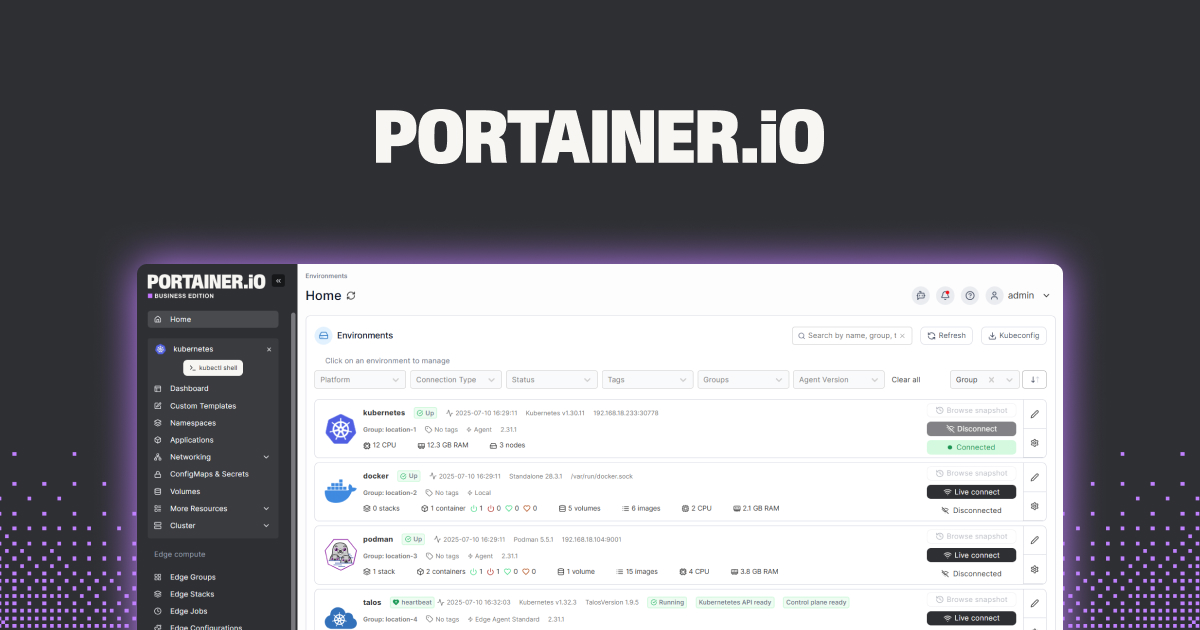
Portainer is the industry-standard Docker (and Kubernetes) UI. It manages containers, images, volumes, networks, stacks, and secrets across multiple hosts. If your lab spans two or three physical machines, Portainer keeps them coherent.
Where it falls short: Community edition is generous but hides some features behind Business. UI density is higher than Dockge’s for the same simple task.
Pricing:
- Free: Community Edition, forever.
- Paid: Business Edition from about $52/node/month for teams that want RBAC and support.
Platforms: Linux, Windows, macOS, Docker.
Download: Portainer
Bottom line: The pick when the lab is multi-host and you need a real UI to steer it.
7. Watchtower, best Docker auto-updater
Watchtower watches your running containers and pulls new images when they’re published. Configure exclusions for the containers you want to pin, and forget about updates. This is the single change that most reduces lab-maintenance overhead.
Where it falls short: Silent auto-updates can break things unexpectedly. Pair it with notifications and pin critical containers.
Platforms: Linux, Windows via Docker, macOS, Docker.
Download: Watchtower
Bottom line: The set-it-and-forget-it pick for keeping containers current without a weekly maintenance ritual.
How to pick the right one
- If the lab is new or spouse-facing: CasaOS or Umbrel. Pick one and stick with it.
- If auth in front of every service is the pain point: Cosmos Server.
- If the lab is already Compose-first and you just want a UI: Dockge.
- If the lab spans multiple hosts: Portainer.
- Whatever else you choose, add Homepage as the front door and Watchtower for updates.
- Stay on plain Docker CLI + a text editor if you like it that way. The point of the tools above is to keep you from resenting your own lab.
FAQ
What is the best home server OS for a small home lab?
CasaOS and Umbrel are the two picks for people who want a consumer-app-store feel. Cosmos Server is the pick when you want a similar experience with SSO in front. All three are free and open-source.
How do I stop my home lab from growing out of control?
Adopt one lab-management tool (CasaOS, Umbrel, or Cosmos) as the single interface. Delete anything that isn’t accessed monthly. Turn on Watchtower for auto-updates. The XDA piece that inspired this article makes the same point: the fix is fewer services, not more RAM.
Can I run CasaOS in a virtual machine?
Yes. Most CasaOS users run it in a Proxmox or ESXi VM, or in a Docker container on an existing Linux host. Bare metal is an option but not required.
Is Portainer free?
Portainer Community Edition is fully free, forever, and covers what almost every home lab needs. Portainer Business is the paid tier for teams that want RBAC, support, and enterprise features. Home users almost never need Business.
Does Watchtower auto-update everything by default?
Watchtower updates every running container it can see by default. Real-world use pins critical containers (databases, reverse proxies) via label exclusions so only the low-risk apps update automatically.