
The XDA piece on a novelist building a dozen books inside Obsidian with the StoryLine plugin captured something the broader AI writing market keeps missing: fiction writers do not want a chatbot. They want a desktop tool that knows their characters, remembers what happened in chapter seven, and produces a paragraph that sounds like them, not a generic model. The market caught up in the last year. The best AI writing assistant apps for desktop now sit inside the tools writers already trust, talk to local model files when asked, and stay out of the way when the prose is flowing.
We tested 8 of them on Windows 11 and macOS Sequoia against three real projects: a 110,000-word fantasy novel mid-draft, a non-fiction book on home networking, and a screenplay. Every pick below earned its place by helping with the work writers actually struggle with: scene continuation when momentum dies, character voice consistency across chapters, structural beats for outlines, and clean line editing without flattening the prose. The flowery thesaurus apps that suggest “verdant” instead of “green” did not make the list.
What to look for in an AI writing assistant
The market is full of apps that wrap a chat box around a model. The useful ones do more:
- Long-context memory. A novel is hundreds of thousands of tokens. An assistant that forgets chapter one by chapter twelve is useless. Look for apps that pull from a knowledge base, not just the current document.
- Character and worldbuilding awareness. The app should let you define characters, settings, and rules, then keep new prose consistent with them. A bare model will name-swap and contradict itself.
- Style-matching, not style-flattening. The best apps fine-tune to your voice or carry a long style example into every prompt. The worst smooth your prose into the same beige.
- Local model support, optional. Plenty of writers will not send unpublished manuscripts to OpenAI or Anthropic. An app that can drive a local Llama or Mistral via Ollama covers that case.
- Export to standard formats. Markdown, DOCX, EPUB, Fountain for screenplays. Lock-in to a proprietary file format means the assistant owns the manuscript.
Quick comparison
| App | Best for | Free | Paid starts at | Local model support |
|---|---|---|---|---|
| Sudowrite | Long-form fiction with worldbuilding | 10,000-word trial | $19/month | No |
| NovelCrafter | Series authors and outline-first writers | Limited free tier | $9/month | Yes (Ollama, OpenRouter) |
| StoryLine for Obsidian | Writers already in Obsidian | Yes (BYO API key) | Donations | Yes |
| Lex | Web-based focused drafting | Free with sign-in | $20/month | No |
| Jasper | Marketing copy and business writing | 7-day trial | $39/month | No |
| Cursor for Writers | Power users who want a code-editor approach | 14-day trial | $20/month | Yes |
| Plottr AI | Structural plotting and beat-sheets | Trial | $25/year | No |
| AutoCrit AI | Line-level prose editing | Free tier | $30/month | No |
The 8 best AI writing assistant apps for desktop in 2026
1. Sudowrite — Best for long-form fiction
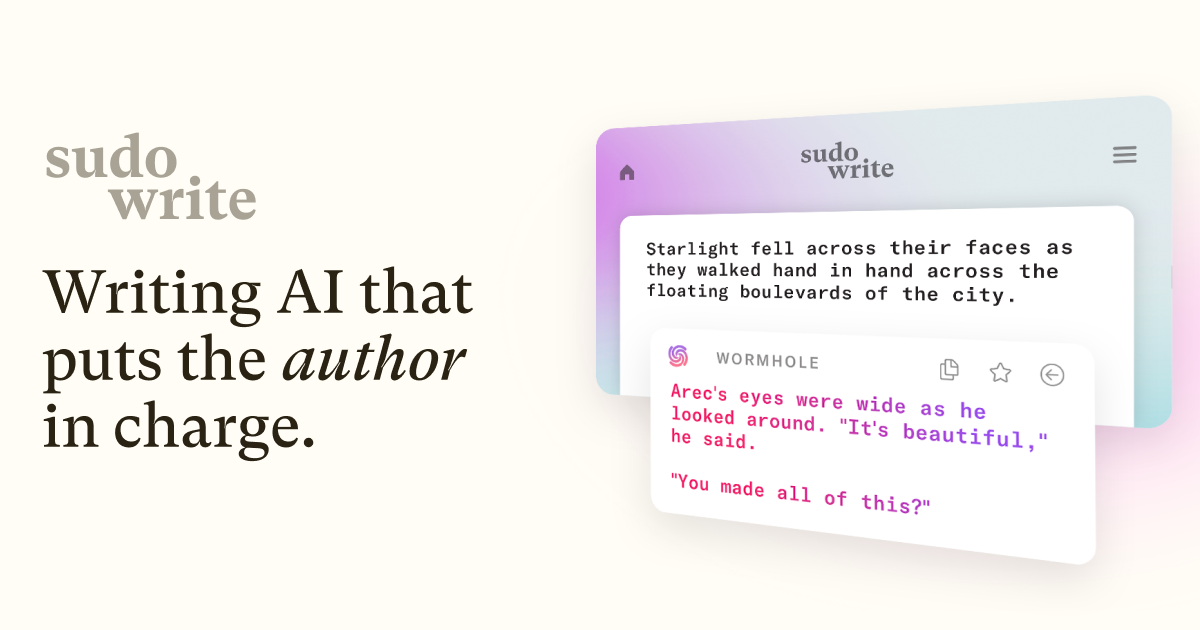
Sudowrite is the app most working novelists already use. The “Story Engine” lets you define characters, settings, and plot points, then generates scene continuations that hold the continuity for hundreds of pages. The “Brainstorm” tool produces ten variations of a beat at once, which is the right way to use an assistant on a draft. The desktop experience is a web app, but it runs in any browser and exports to DOCX without complaining.
Where it falls short: No local model support, which is a hard no for some writers. The credit system is opaque and the subscription is one of the priciest on the list.
Pricing: Free 10,000-word trial. Paid plans start at $19/month for 225,000 words, scaling up by usage.
Platforms: Web (any modern browser on Windows, macOS, Linux).
Download: Sudowrite site
Bottom line: The default pick for a working novelist. Pay for the smallest tier and supplement with Obsidian for everything else.
2. NovelCrafter — Best for series authors and outline-first writers
NovelCrafter is what Sudowrite would look like if it took worldbuilding seriously. The Codex feature is a structured knowledge base for every character, location, item, and faction in the series. Every prompt to the model carries the relevant Codex entries automatically, so chapter forty does not contradict chapter four. The app also supports Ollama and OpenRouter for users who want to drive their own model.
Where it falls short: The learning curve is real. The setup pays off across a series, not on a one-off short story.
Pricing: Free tier with limited Codex. Paid from $9/month.
Platforms: Web app, plus a downloadable desktop wrapper for Windows, macOS, and Linux.
Download: NovelCrafter site
Bottom line: The right pick for fantasy and science-fiction writers in a long series. Worth the setup hour.
3. StoryLine for Obsidian — Best for writers already in Obsidian
StoryLine is the plugin XDA wrote about. It turns an Obsidian vault into a structured writing environment with scene cards, character sheets, and an AI panel that pulls context from the rest of the vault. The plugin runs against any OpenAI-compatible endpoint, which means a local Llama via Ollama works fine. The whole thing lives in plain Markdown files on disk.
Where it falls short: It is a plugin, so getting started means installing Obsidian and learning enough to set up a vault. Writers who do not already use Obsidian will find easier on-ramps elsewhere.
Pricing: Free, bring your own API key. The author accepts donations.
Platforms: Windows, macOS, Linux (anywhere Obsidian runs).
Download: StoryLine plugin in Obsidian’s Community Plugins directory
Bottom line: The right pick if Obsidian is already the writing tool of record. The Markdown-first approach means the manuscript outlives any subscription.
4. Lex — Best for focused drafting
Lex is what a writing app looks like when the team behind it grew up on Google Docs and decided to throw out the comment threads. The page is a single column, the assistant lives in a slash menu, and the rewrite suggestions appear inline without breaking flow. It is the closest thing on the list to a “writing app with AI” rather than “AI app for writing”.
Where it falls short: No worldbuilding, no character database, no long-context memory. Best for essays, blog posts, and chapter drafts, not for novel-spanning consistency.
Pricing: Free with sign-in. Pro tier at $20/month adds longer context and faster models.
Platforms: Web app, runs in any modern desktop browser.
Download: Lex site
Bottom line: The right pick for non-fiction writers and journalists. Skip if you are writing a novel.
5. Jasper — Best for marketing copy and business writing
Jasper sits in a different segment of the market: blog posts, product descriptions, ad copy, brand-voice docs. The templates are extensive, the brand-voice training works as advertised, and the integrations into Surfer SEO and Webflow are valuable for teams. It is not a novelist’s app.
Where it falls short: Expensive, opinionated, and the fiction features are an afterthought. Anyone writing a manuscript should look elsewhere.
Pricing: 7-day free trial. Plans start at $39/month.
Platforms: Web app on Windows, macOS, Linux. Chrome extension for in-page use.
Download: Jasper site
Bottom line: The right pick for marketing teams. Wrong tool for fiction.
6. Cursor for Writers — Best for power users who want a code-editor approach
Cursor started as a fork of VS Code for programmers and has quietly become a serious writing tool. The agent panel can edit across multiple Markdown files at once, the diff view is the cleanest way to review AI rewrites we tested, and the project knows about every file in the folder without manual context loading. Power users who want git history on their manuscript will love this.
Where it falls short: It is a code editor underneath. The UI assumes comfort with file trees, command palettes, and keyboard-driven workflows. Not a friendly first install.
Pricing: 14-day free trial. $20/month for the full agent.
Platforms: Windows, macOS, Linux.
Download: Cursor site
Bottom line: The right pick for technical writers and authors who already live in Git. Strange recommendation for everyone else.
7. Plottr AI — Best for structural plotting and beat-sheets
Plottr was the plotting app long before AI; the AI features were added in 2024 and have improved fast. The timeline view lets you arrange beats and scenes visually, and the AI now generates Save the Cat beat sheets, character arcs, and tension graphs from a one-paragraph premise. The output is a starting outline, not a finished book.
Where it falls short: No prose generation worth using. Plottr is a planning tool that happens to have AI, not a writing tool.
Pricing: Trial. One-time purchase at $25/year for the subscription tier with AI.
Platforms: Windows, macOS.
Download: Plottr site
Bottom line: The right pick for outliners and structural plotters. Pair with Sudowrite or NovelCrafter for the prose.
8. AutoCrit AI — Best for line-level prose editing
AutoCrit is the editing pass tool. It reads a finished draft, flags weak verbs, passive voice, repetition, and pacing issues, then explains why. The AI layer added in 2025 now suggests rewrites in the writer’s own voice rather than generic prose. Used right, it replaces a basic line edit.
Where it falls short: Not a drafting tool. The “improvements” can be tone-deaf if applied indiscriminately; treat suggestions as a second opinion, not a fix.
Pricing: Free tier with limited analyses. Paid plans from $30/month.
Platforms: Web app on Windows, macOS, Linux. Word add-in available.
Download: AutoCrit site
Bottom line: The right pick for the editing pass, not the drafting pass. Pair with a drafting tool from earlier in this list.
How to pick the right one
- If you want the default tool other novelists use: Sudowrite.
- If you write a long series with deep worldbuilding: NovelCrafter.
- If you already live in Obsidian: StoryLine.
- If you write essays and journalism: Lex.
- If you write marketing copy: Jasper.
- If you want a code-editor approach with git history: Cursor for Writers.
- If you outline structurally before drafting: Plottr AI.
- If you need a line-edit pass after a draft is done: AutoCrit AI.
FAQ
What is the best AI writing assistant for novels in 2026?
Sudowrite for most novelists, NovelCrafter for anyone writing a long series with deep worldbuilding. Both produce continuity-aware prose; NovelCrafter handles character knowledge more rigorously, Sudowrite has the slicker drafting UX.
Can I use a local model with these apps to keep my manuscript private?
NovelCrafter, StoryLine for Obsidian, and Cursor all support local models via Ollama or an OpenAI-compatible endpoint. Sudowrite, Lex, Jasper, Plottr, and AutoCrit are cloud-only as of this writing.
Is Sudowrite worth the subscription?
For a working novelist who hits the model regularly, yes. The smallest tier covers most monthly use, and the time saved on scene continuations and brainstorming pays the fee back quickly. Hobbyists who write a few chapters a month should look at NovelCrafter’s free tier first.
Does AI writing software still produce generic prose?
Less than it did in 2023. The current crop, especially Sudowrite and NovelCrafter, can match a voice well when given a long style sample. Generic output usually traces back to short prompts and missing context, not the model itself.
Can AI replace a human editor?
For developmental and copy editing, no. For line-level proofing and finding repetitive phrases, AutoCrit and similar tools handle the volume work that a human editor would charge by the hour for. Use both.


